You've already had this conversation once this year. A vendor pitched you an AI feature, you piloted it, and it solved one problem inside one system. Now your property management system is adding its own AI, and the pitch sounds familiar: less to buy, one login, nothing new to learn.
Before you sign, it's worth running the same checklist you'd apply to any platform decision that touches how your portfolio runs. The real risk is AI vendor lock-in: work and knowledge that only exist inside one vendor's walls, that don't move with you if you switch systems or lose the person who built them. This is that checklist.
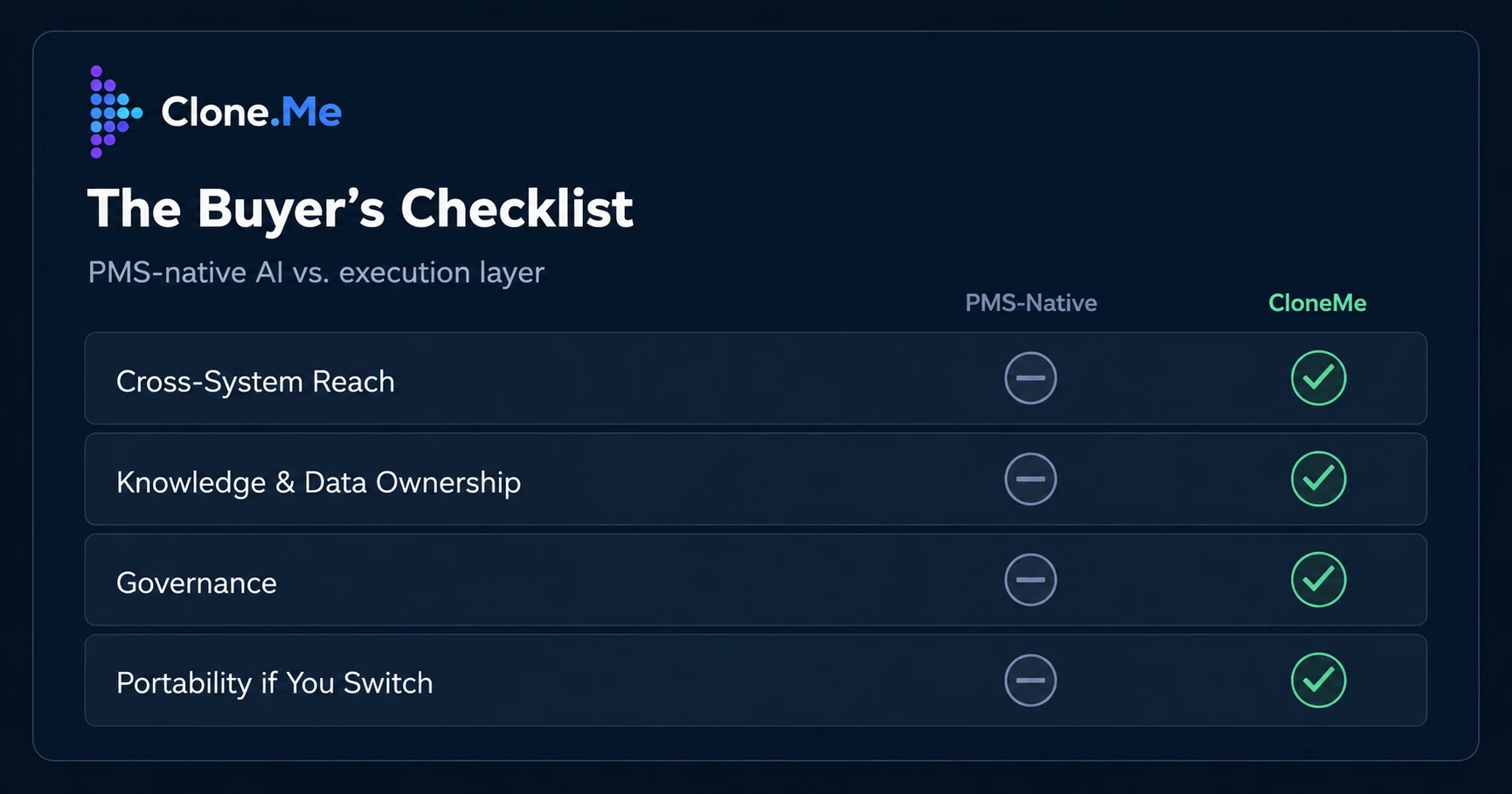
The Buyer's Checklist
With Clone, your organization owns the knowledge the AI builds. That knowledge stays with you across staff turnover and platform switches, and it isn't confined to one PMS vendor. Clone runs across your existing stack, including multiple PMSs, CRMs, and communication tools, keeping operations consistent and portable.
Four criteria separate a PMS-native AI feature from an execution layer built for consistent execution across your whole portfolio. At the core, this is a question of AI knowledge management. Run any AI vendor through all four before you commit budget.
Cross-System Reach
A PMS-native AI works inside its own system of record. It can act on leases, work orders, or ledgers logged in that platform, but it has no visibility into your CRM, your maintenance vendor's scheduling tool, or the communications platform your leasing team already uses. An execution layer runs across all of them, so a workflow doesn't stop at the edge of one system.
Knowledge and Data Ownership
Ask who owns AI training data before you ask what the feature does. If it's trained on your operations but owned and hosted inside the vendor's product, you don't control it; you rent access to it. The knowledge should belong to your organization, not to the software you happen to be running this year.
Governance
Governed execution means role-scoped permissions, human-in-the-loop approval on anything that touches money or a resident record, and a full audit trail you can pull on demand. This matters more, not less, once AI is doing the work instead of just answering questions. A PMS-native AI inherits whatever governance model the PMS was built with, typically designed for data entry rather than autonomous execution.
Clone’s governed, auditable execution applies the same standard no matter which system a workflow touches. NMHC's industry guidance on cybersecurity and data privacy treats audit trails and access controls as baseline practice for any system that touches resident data, and an AI vendor should be held to the same standard
Portability if You Switch PMS
Multifamily portfolios change PMS more often than vendors like to admit: acquisitions, refinancing, and platform consolidations all force the question. If your operational AI is licensed as a feature of the PMS, it doesn't come with you when you switch: that's what AI vendor lock-in looks like in practice. If it's a separate execution layer, your certified roles, your permissions, and your knowledge base move to the new system with you.
One System vs. Your Whole Stack
Back-office work in multifamily rarely stays inside one system. A make-ready workflow touches the PMS for the work order, the maintenance vendor's own scheduling tool, a text thread with the resident, and a spreadsheet somebody built three years ago to track turn time by property. A PMS-native AI can see the first piece and none of the rest.
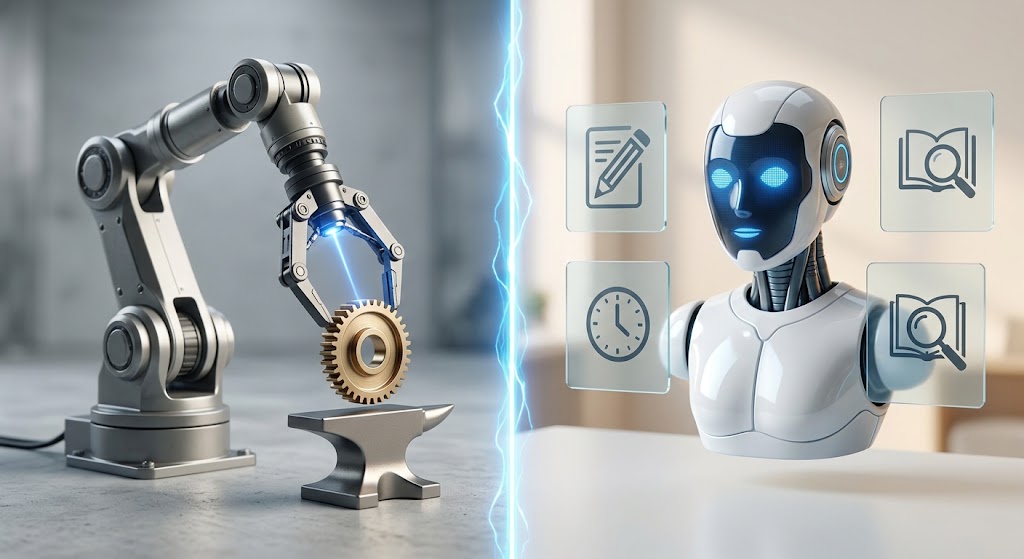
A PMS-native AI lives inside one vendor's walls and owns what it learns; an execution layer runs across your whole stack and leaves the knowledge with you. The limitation is structural: building AI inside a system of record instead of alongside it caps what any single PMS-native AI can reach, no matter which vendor built it.
That gap shows up in NOI and in headcount. Managing turn time, vendor performance, and resident communication as three separate problems rather than a single execution problem forces regionals to add people just to hold the pieces together. See how a PMS-native AI vs. an execution layer compares on cross-system reach, criterion by criterion.
Who Owns What the AI Learns
When a PMS builds AI into its own platform, whatever that AI learns about your operations, your turn times, your resident communication patterns, your maintenance vendor performance, stays inside that platform's data model. If you change PMS, you don't take it with you. You start over.
With an execution layer, that knowledge belongs to your organization: built once, permissioned by role, and portable if you ever change your system of record. It survives a regional manager leaving. It survives a platform migration. The principle is simple: own your AI knowledge instead of renting access to it. For a portfolio that's spent years building institutional knowledge no dashboard can fully capture, that's the difference between an asset and a subscription.
When PMS-Native AI Is Fine (And When It Isn't)
A PMS-native AI feature is a reasonable choice for a narrow, single-system task: flagging a late payment inside the ledger, drafting a lease renewal notice from data that already lives in that platform. It's fine when the work starts and ends in one system, and you're not planning to change platforms anytime soon.
It stops being enough the moment a workflow needs to reach outside that system: coordinating a maintenance vendor who isn't on the PMS, reconciling a resident complaint that came in over text, or reporting consistently across a portfolio that runs more than one PMS after an acquisition. That's back-office execution, and it's a different category of problem than a feature bolted onto a system of record.
FAQ
Who owns the knowledge your AI creates?
With Clone, your organization owns the knowledge the AI builds. It isn't licensed data trapped inside a vendor's platform. It stays with you through staff turnover and system changes.
Can Clone work across multiple PMSs?
Yes. Clone is multi-PMS AI by design: it runs across your existing stack, including multiple PMSs such as Yardi, AppFolio, or RealPage, along with your CRM and communications tools. It's configured once and works across every system you're already running.
Does using Clone mean vendor lock-in?
No. Because the knowledge Clone builds belongs to your organization rather than to any single platform, switching PMS or adding a new one doesn't mean starting over. That portability is the point.
The Checklist, Applied
The PMS-native AI pitch is convenient, and convenience is worth something. But convenience inside one system isn't the same as execution across your whole portfolio, and it isn't the same as owning what the AI learns about how you operate.
Avoiding AI vendor lock-in starts with asking these four questions before the contract is signed.
For a closer look, see how a PMS-native AI vs. an execution layer compares or how Clone protects what your organization owns. Or book a demo and walk through what governed, cross-stack execution looks like on your own portfolio.