AI YouTube Channel Administrator
An AI YouTube channel administrator is an AI clone that runs the prep work behind a well-managed channel. Jaylen audits Brand Account permissions, builds upload-readiness packages, drafts titles and descriptions, plans playlists, checks captions and queues comments for moderation. A human approves every upload, publish and settings change. He reports readiness, caption quality and channel performance to your dashboard.
A day on the job with Jaylen
What a youtube channel administrator clone actually does between 8 and 5, and what it's like to work with one.
 Reviewed overnight comments and sorted the queue86 sorted
'%3e%3cg%20transform='translate(-42.8696,%20-58.6696)'%3e%3cpolygon%20fill='url(%23linearGradient-3)'%20points='341.719213%20295.937182%20200.166022%20295.937182%20170.873471%20245.202453%20241.650066%20122.61278'%3e%3c/polygon%3e%3cpolygon%20fill='url(%23linearGradient-4)'%20points='0%20295.915615%20100.069146%20122.591213%20100.069146%20122.594294%2070.787379%20173.316699%20129.357076%20173.316699%20200.139833%20295.912534%200.00154049703%20295.914074'%3e%3c/polygon%3e%3cpolygon%20fill='url(%23linearGradient-5)'%20points='170.881173%200%20241.66239%20122.600456%20212.376001%20173.325942%2070.8120269%20173.325942'%3e%3c/polygon%3e%3c/g%3e%3c/g%3e%3c/g%3e%3c/svg%3e) Transcribed the new episode and checked captions3 fixes
Transcribed the new episode and checked captions3 fixes Drafted titles, description and chapters2 title options
- Flagged a music bed with unclear license termsHeld for review
 Planned a new playlist from the tutorial series12 videos
 Sent the premiere package to the channel ownerAwaiting OK
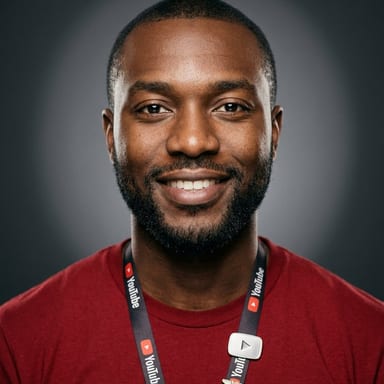
Jaylen, can we push Thursday's video live tonight instead? The sponsor wants it out.
The package is ready except one thing. The intro music has no license on file, and a claim could pull ad revenue from the sponsor's video. If you swap to a track from the cleared library, everything else is set for your approval.
Swap it. Use the track we used last month.
Done in the edit notes for the editor, and I updated the rights log. Once the new cut lands I'll recheck captions and send you the final package to publish.
What Jaylen owns
A clone is hired for areas of responsibility, not prompts. These are Jaylen's, with the numbers it reports.
Upload readiness
Packages each video with title, description, tags, chapters, thumbnail and rights notes so the publisher only has to approve.
Captions and accessibility
Checks captions for timing, names and accuracy, and flags any video missing captions before it is scheduled.
Playlists and metadata
Plans playlists and keeps metadata consistent across the library so viewers and search find the right videos.
Comment moderation queue
Sorts new comments into replies, questions and possible spam, then queues them for a moderator to act on.
Rights and channel health
Tracks claims, permission tiers and channel settings, and writes a weekly performance summary with clear next steps.
Dashboard figures are illustrative.
Works in your tools
Jaylen connects to the apps your team already runs, with object-level permissions you set.
YouTubeGoogle DriveGoogle DocsGoogle Sheets CanvaSlack
 Google Analytics
Skills Jaylen runs
The capabilities that let Jaylen do this role. Ask for any of them in plain words.
AI YouTube Admin: questions buyers ask
What is an AI YouTube channel administrator?
An AI YouTube channel administrator is AI that handles the operational side of a channel: permissions, upload packages, metadata, playlists, captions, comment queues and reporting. On Clone, it is a clone hired to support your channel owner. It prepares everything for review, while authorized people upload, publish and change settings.
Does it replace my video team or editor?
No. Jaylen does not edit or film. He takes the channel admin work off your creators: metadata drafts, caption checks, playlist planning, rights notes and comment sorting. Your team keeps the creative calls and the publish button, with a cleaner package every time.
Which tools does it work with?
Jaylen works with YouTube through an approved connection, keeps scripts and metadata drafts in Google Docs, tracks the library in Google Sheets and stores assets in Google Drive. He can mock up thumbnail notes for Canva and reports in Slack. Google Analytics can feed his summaries.
Will it publish or delete videos without asking?
No. Each clone is default-deny, with object-level permissions you set. Jaylen never uploads, publishes, deletes, moderates comments, starts a live stream or changes permissions without explicit authorization. Every action he takes is logged, and you can open the history from any chat.
How much does an AI YouTube channel administrator cost?
Every Clone plan starts with a free trial, so you can begin with a read-only channel audit. Paid plans are a flat monthly price with credits included, with no per-video fee. Enterprise plans start at $2,500 per month through Book a Demo. See clone.org/#pricing.
Hire Jaylen today.
Every plan starts with a free trial.
More roles you can hire

Updated October 2026