AI Technical Writer
An AI technical writer is an AI clone that turns screenshots, specs, API payloads and expert notes into clear, accurate documentation. Tessa drafts user guides, API references, setup instructions, troubleshooting articles and release notes in Markdown, Google Docs, Confluence or Notion, and marks every unverified fact. She reports docs shipped, open questions and outdated pages to your dashboard, and reviewers approve before anything publishes.
A day on the job with Tessa
What a technical writer clone actually does between 8 and 5, and what it's like to work with one.
 Read the API spec and test payloads for webhooks14 endpoints
 Drafted the webhook API reference in MarkdownDraft v1
 Sent precise questions on retry behavior to the engineer3 questions
 Wrote a setup guide from 22 product screenshots11 steps
 Compiled release notes from this sprint's tickets18 changes
 Flagged help pages that no longer match the UI7 pages
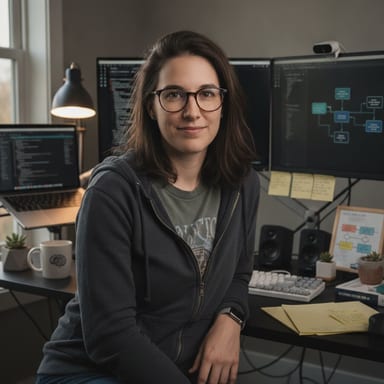
Tessa, can you write the permissions section of the admin guide today? Here are the screenshots.
Yes. The screenshots show five roles and a toggle called "Inherit workspace access", but nothing shows what happens to existing members when it's switched off. I can draft everything else now and leave that behavior marked as unverified.
Just assume they keep access. It's probably fine.
I'd rather not guess on permissions, since an admin could lock people out based on it. I've drafted the section with a clear placeholder and asked the platform engineer to confirm. Once he answers, it's a two-minute edit before your review.
What Tessa owns
A clone is hired for areas of responsibility, not prompts. These are Tessa's, with the numbers it reports.
Product and user guides
Turns screenshots, recordings and workflows into step-by-step guides that name every screen, control and prerequisite correctly.
API and integration docs
Writes endpoint references, auth steps and example requests from specs and payloads, with error cases and limits called out.
Release notes and changelogs
Drafts release notes from tickets and engineering notes so users know what changed, why it matters and what to do.
Docs accuracy and upkeep
Flags inconsistent terminology, missing steps and pages that drifted from the product, then queues fixes for review.
Dashboard figures are illustrative.
Works in your tools
Tessa connects to the apps your team already runs, with object-level permissions you set.
ConfluenceNotionGoogle DocsGitHubJiraSlack Zendesk
Skills Tessa runs
The capabilities that let Tessa do this role. Ask for any of them in plain words.
AI Technical Writer: questions buyers ask
What is an AI technical writer?
An AI technical writer is AI that turns product evidence such as screenshots, specs, API payloads and expert notes into structured documentation people can use. On Clone, it is a clone hired into that role, working from your knowledge base and style guide. It separates verified facts from inferences and leaves publishing to your reviewers.
Does it replace my documentation team?
No. Tessa clears the drafting backlog: first drafts, API references, release notes and updates to pages that drifted from the product. Your writers and subject-matter experts keep editorial judgment, approve what ships and answer the questions she raises. Small teams with no dedicated writer use her to finally get docs out the door.
What can I give it to work from?
Screenshots, screen recordings, product URLs, specs, API definitions, code examples, meeting notes, support conversations and rough notes from an expert. Tessa treats screenshots as evidence of what is visible, never invents behavior and asks precise questions when something can't be confirmed from the source material.
Can it publish docs on its own?
Only if you allow it. Each clone is default-deny, with object-level permissions you set. Most teams let Tessa draft in Confluence, Notion, Google Docs or Zendesk Guide and require a reviewer to publish. Every action she takes is logged and can be opened from any chat.
How much does an AI technical writer cost?
Every Clone plan starts with a free trial. Paid plans are a flat monthly price with credits included, not a per-page or per-word fee, so a big launch costs the same. Enterprise plans start at $2,500 per month through Book a Demo. See current plans at clone.org/#pricing.
Hire Tessa today.
Every plan starts with a free trial.
More roles you can hire










Updated October 2026