Keep every brand account active.Your clones do the posting.
Clone Social gives your company's social presence a team of clones that never run short of time. They research, write and design a version for every account from what they know about your business, route it through your approval rules, publish on schedule and reply to comments, with every step on the record.

Announce our new booking page on every company account, and send it for review.
Drafts are in the approval queue:
- Facebook Page: image post
- Instagram: carousel
- LinkedIn: image post
- X: a post under 280 characters
- TikTok: carousel
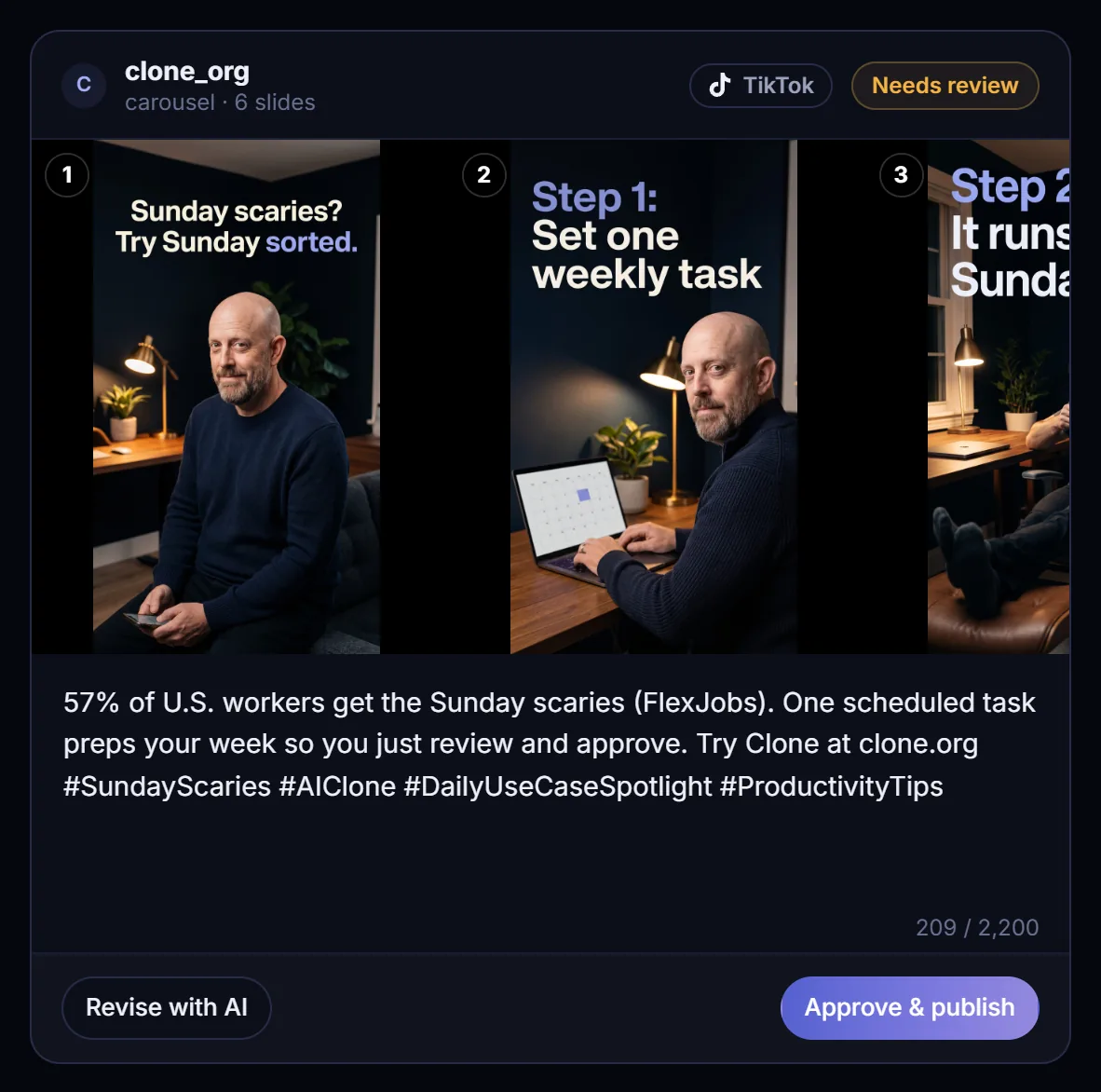
On TikTok, redo slide 3 so it features you.
Updated. TikTok slide 3 is the only change.
- Slides 1, 2 and 4 to 6 stay as they were
- Every other account's draft is untouched
- Back in the queue for an approver
Approve only the Facebook and LinkedIn versions.
Both are live:
- Company Facebook Page: published
- LinkedIn: published
- Instagram, TikTok and X still need an approver
Anything in the inbox that needs the team?
Two items on this morning's Instagram post:
- A product question. My draft reply is waiting for an approver.
- A press request. I flagged it for a person and left it unanswered.
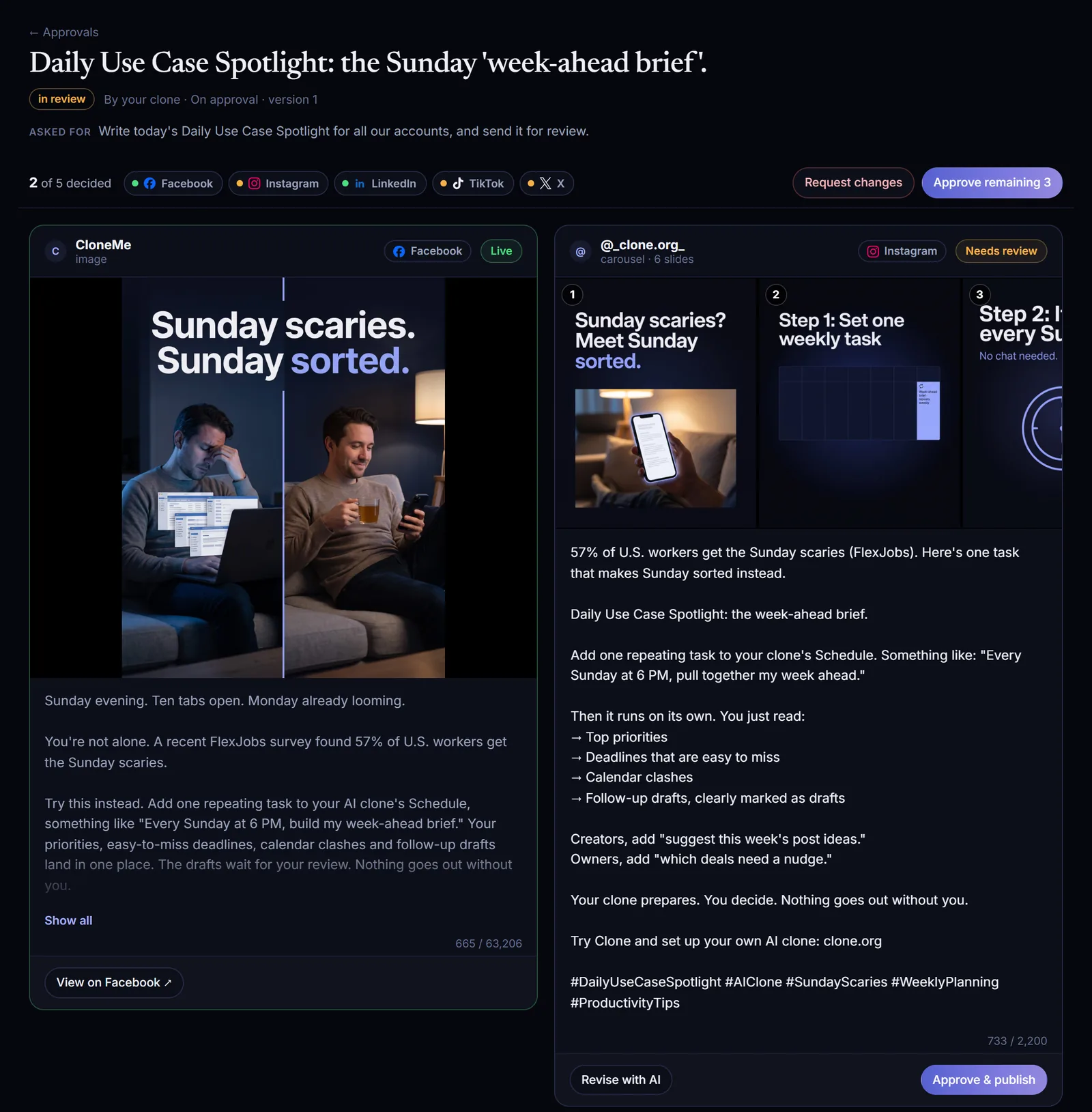
From the first real post on Clone's own company accounts.
We ran it on Clone's own company accounts.
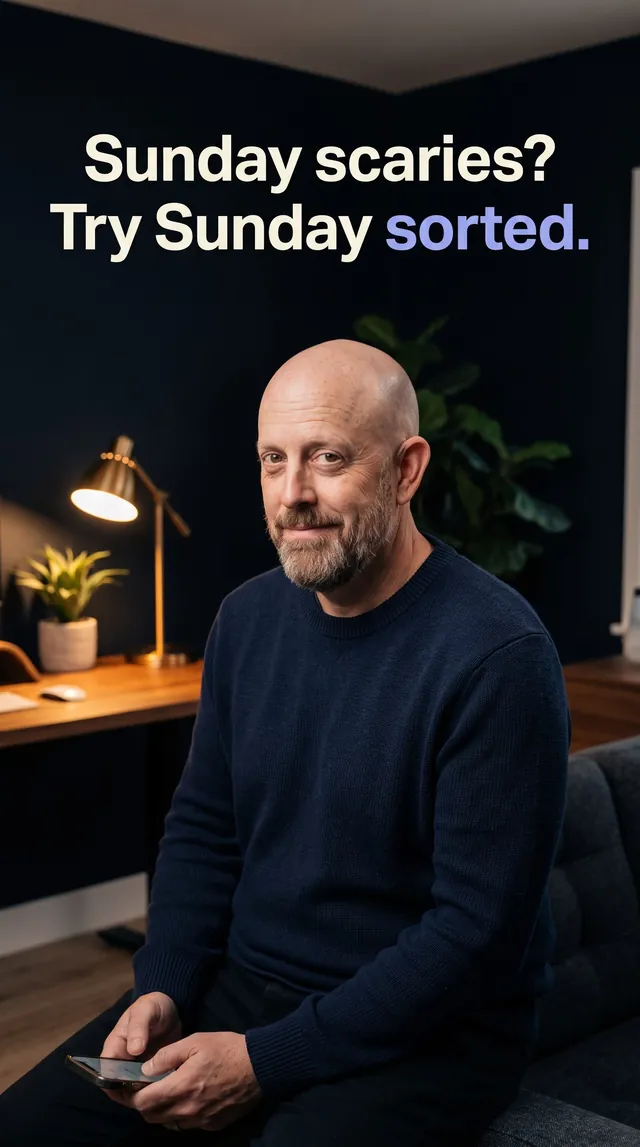
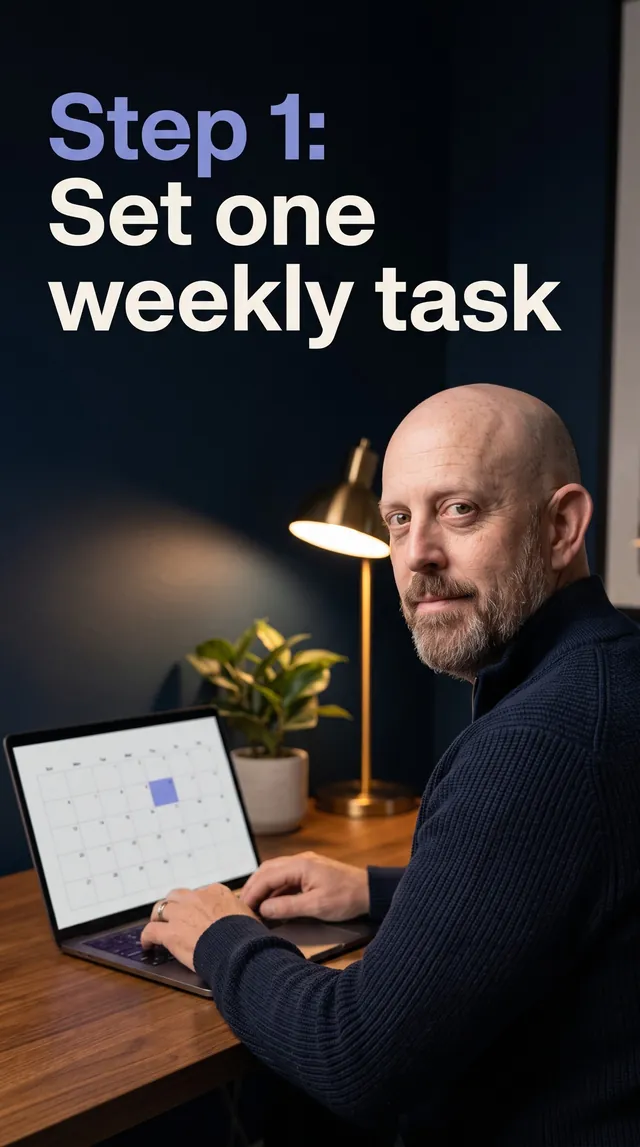
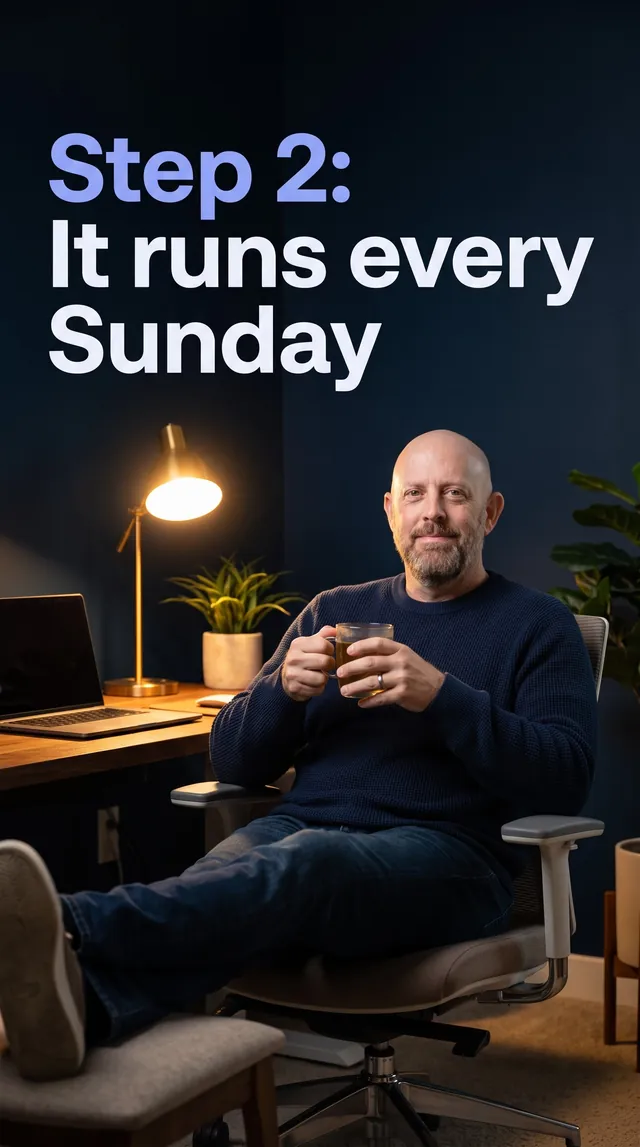
Our first real post went from one chat message to five platform-ready versions in about eight minutes of clone work. Two were six-slide carousels, and the TikTok one features the clone that wrote it.
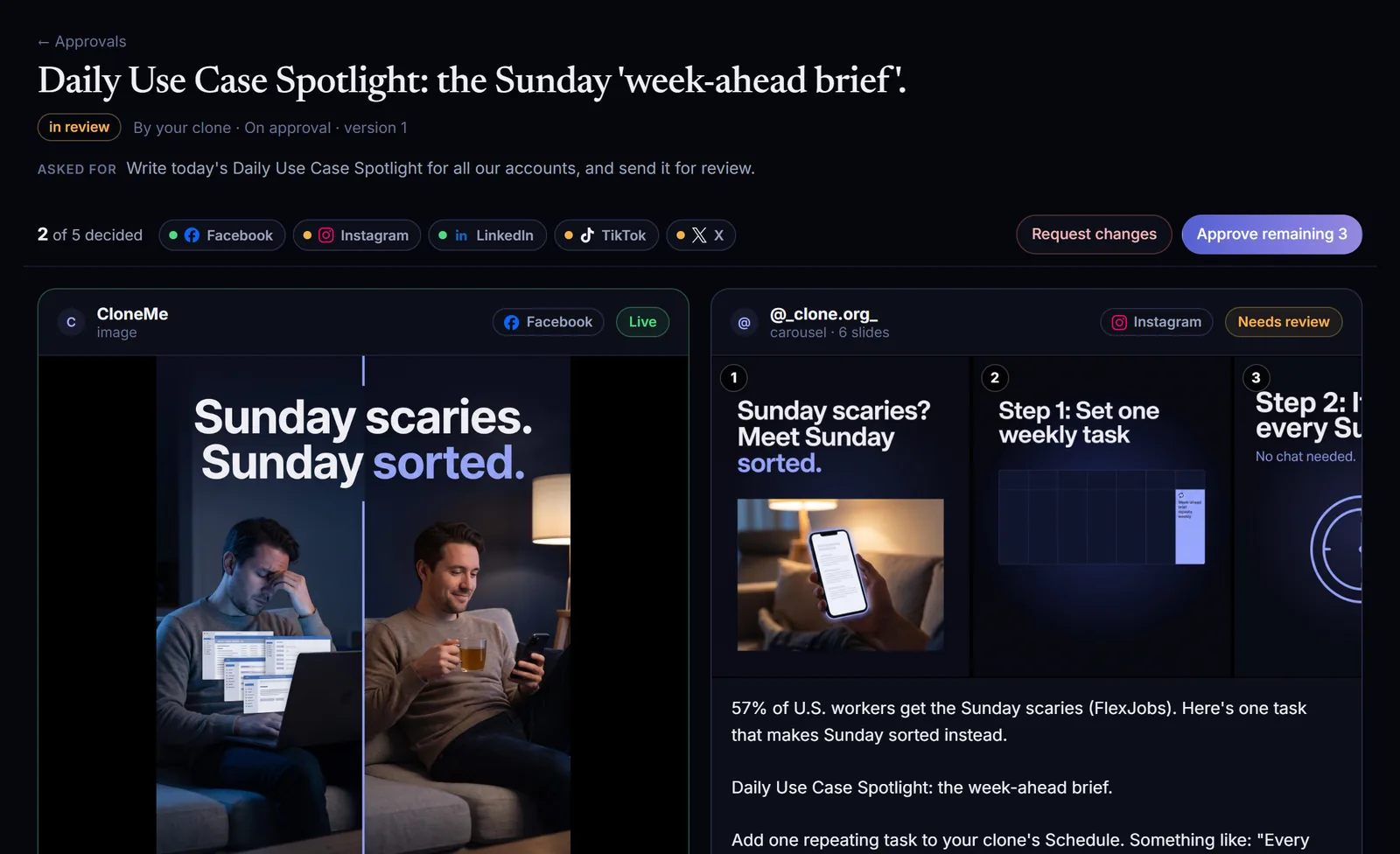
Write today's Daily Use Case Spotlight for all our accounts, and send it for review.
- FacebookImage post
- Instagram6-slide carousel
- LinkedInImage post
- XText post
- TikTok6-slide carousel
Roughly 8 minutes of clone work from the ask to the approval queue.
Brands get rewarded for showing up. Clones show up every day.
Company accounts tend to post in bursts, then go silent, while comments wait for whoever has a spare minute. Clone Social hands the time-consuming parts to your clones.
One ask in. Published posts and replies out.
- 01BriefAsk in plain English, by chat or by voice.
- 02ResearchThe clone checks its own knowledge base first, and the web when current context helps.
- 03DraftEach account gets its own version, sized to that platform's limits.
- 04ComplianceShaky numbers, missing credits and risky claims are flagged for your approver.
- 05CreativeImages and carousels at each platform's size, featuring the clone when it has a headshot.
- 06ApprovalDrafts wait in Approvals, and the clone sends the link in chat.
- 07PublishOut on schedule on every account, with live links posted back to chat.
- 08EngageThe author clone handles comments on its post, under each account's rules.
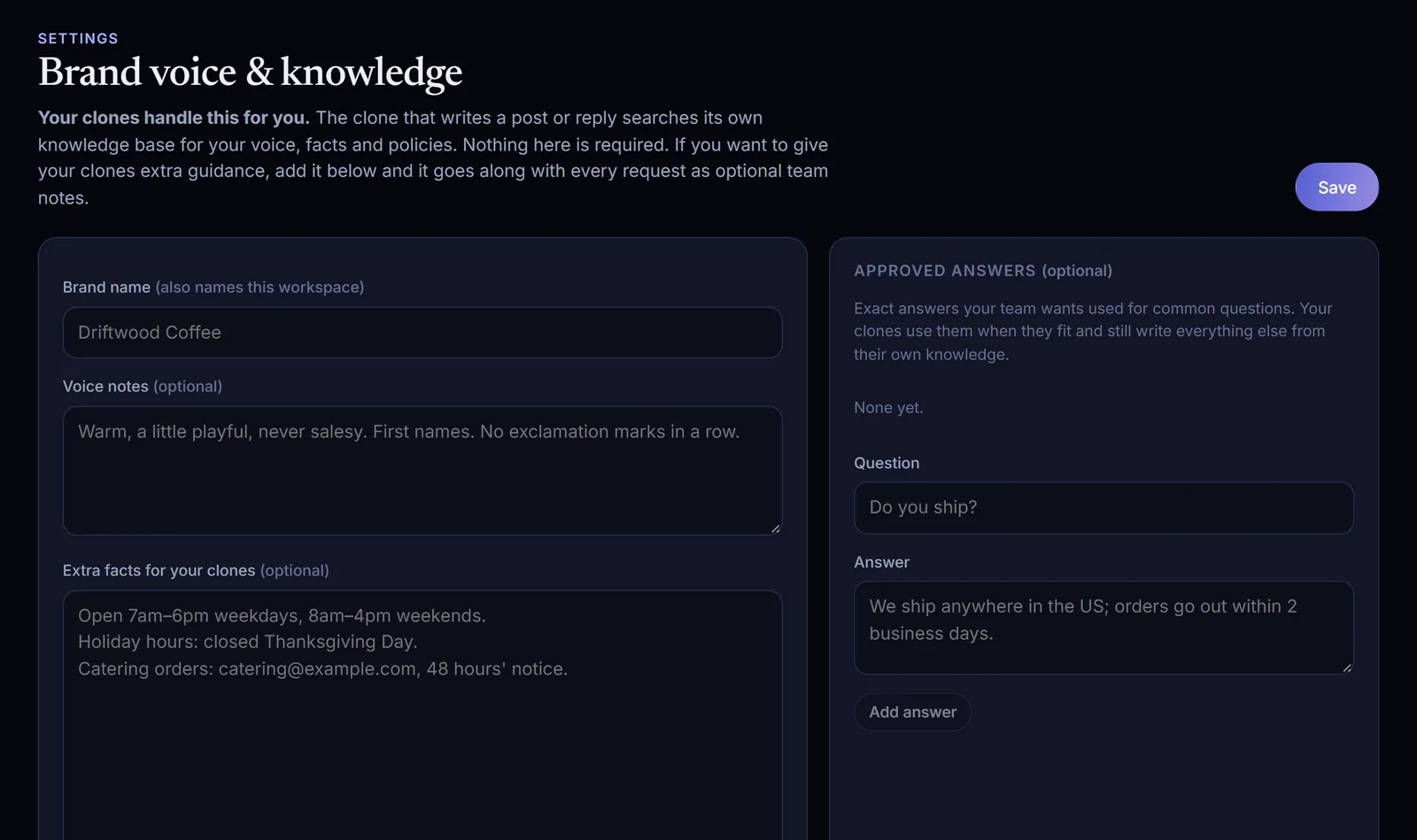
Your company's facts. Your company's voice.
Every clone drafts from its own knowledge base: the products, customers, pricing, offers and stories it already knows about your company, plus the web when timing matters. Posts stay specific and accurate instead of generic.
Brand settings are optional extras. A voice note, a link-tracking template, an image style or an approved answer travels with each request as added guidance for every clone.
- A native version for each account, in your brand voice
- On-brand images and carousels
- The clone can appear in its own visuals, from its headshot
- Your supplied media used as given, or your exact copy posted word for word
One shared queue. Sign off account by account.
Each draft arrives as a single post with a card for every account. Approve the versions that are ready and they publish, while the rest wait for edits.
- See every version as it will appear: copy, images and numbered slides
- Edit copy in place, with a live count against each platform's limit
- Approve & publish per account, or approve everything at once
- Send it back with Request changes and a note for the clone
- Team notes the clone reads when it revises, plus a saved history of every version
Editors can do it from chat too: “Approve only Facebook and LinkedIn.”
Fix the one slide. Everything else stays put.
Tell the clone what to change, for example “redo slide 3 so it shows the clone at a desk”. It edits only the accounts and slides you name, and nothing else moves.
When our first real post needed one TikTok slide redone, Revise with AI changed that slide alone.
On TikTok, redo slide 3 so it features you.
Updated. TikTok slide 3 is the only change.
- Slides 1, 2 and 4 to 6 stay as they were
- Every other account's draft is untouched
- Back in the queue for an approver
Approve today's post.
Done. Status by account:
- Facebook Page: live
- LinkedIn: live
- Instagram: scheduled for 9:00 AM
- Nothing left in review
Every account, on schedule. Live links straight to chat.
Approved posts go out at the scheduled time, or within a minute when no time is set. The clone shares the live links in chat and lists anything still waiting for review.
- Media is copied to Clone Social's own storage first, so every platform can fetch it
- If an account disconnects, its posts are held until you reconnect
- Sign-ins that expire are refreshed where the platform allows it
- A reminder arrives a week before a connection needs attention
No comment left waiting. Answered by the clone that posted.
Clone Social checks connected accounts every 15 minutes, and Facebook and Instagram can notify in real time. The clone that published the post gets the comment, its own post and your team's notes, then writes a reply from what it knows.
Your clone drafts each reply and an approver signs off in the Inbox.
Replies post on their own after a short, natural pause. Anything flagged as sensitive still goes to a person.
Comments land in the Inbox for your team to answer.
Is this something I set up once, or every week?
Your cloneDraft · needs an approverJust once. Add one repeating task to your clone's Schedule and the brief is ready every Sunday. Nothing goes out without you.
A full audit trail. For every clone and teammate.
The Activity log captures drafts, edits, approvals, publishing, replies, hidden comments and connection changes, with who acted and who approved. Where it makes sense, undo is a click: hold an automatic reply, remove a posted reply, or unhide a comment.
- New accounts start with “every post needs approval”
- Decide which accounts each clone can draft for and publish to
- Roles for your team: owner, admin, editor, viewer
- Editors and above can sign off posts and replies; viewers can only look
Marketing clone drafted versions for 5 accounts
Daily Use Case Spotlight- A
Approver approved Facebook and LinkedIn
Daily Use Case Spotlight Clone Social published to 2 accounts
Live links posted in chatMarketing clone redid TikTok slide 3
No other changesMarketing clone drafted an Instagram reply
rule: Draft & suggest- Unhide
Clone Social hid a spam comment on Instagram
Hidden, not deleted
Connected through your own apps. Never through a shared one of ours.
Like n8n and Make, Clone Social uses apps you own. Your company creates a developer app in its own Meta, X, LinkedIn or Google account, or brings its Blotato account, and gives Clone Social the keys.
Your security
The app sits in your company's account. You set its permissions and can revoke it from the platform whenever you want.
Your scope
At connection you choose exactly which pages and profiles Clone Social can use. Nothing else is touched.
No shared app
Your brand isn't riding on a shared app that a platform could throttle or suspend for everyone at once.
Your limits and costs
Platform limits and any API charges (X bills per post) stay with your own account.
Encrypted keys
Keys and tokens are encrypted at rest, never displayed again after saving, and never given to clones.
Setting up an app for the first time?
Each platform has a step-by-step guide on support.clone.org, or ask your clone: “Walk me through connecting Facebook to Clone Social.”
Security and your appsPost where your brand already lives.
Your own apps connect Facebook, Instagram, Threads, X, LinkedIn, YouTube and Bluesky. Your Blotato account adds TikTok, Pinterest and more.
Text, links, photos, multi-photo posts, video and Reels
Photos, carousels up to 20 slides, Reels and Stories
Text, images, carousels and video
Posts, threads, images and video
Profile posts with text, links and images. Company pages need LinkedIn's Community Management API approval, or connect them through Blotato
Videos and Shorts
Posts, threads and images
TikTok, Pinterest, LinkedIn company pages and more
A brand calendar that fills itself.
Add a Schedule Task in Clone Studio and Clone Social keeps your company accounts running. The team clears the approval queue in the morning, and approved posts go out on time all week.
“Every weekday at 8am, draft today's post for all our company accounts with Clone Social. Check the queue first so topics don't repeat, then send it for approval.”
“Each Monday at 8am, plan the week: posts for Tuesday, Wednesday and Thursday at 9am covering our services, tips and customer stories, all sent for approval.”
More on Clone Social.
Comment replies
Replies from the clone that posted.
Security and your apps
Company apps, company keys.
Setup guides
Platform-by-platform setup on support.clone.org.
Pricing
Plans and credits. Clone Social comes included as a skill.
Screens are the Clone Social app showing the first real post on Clone's company accounts. Account settings shown are examples.
Your questions, answered.
What does Clone Social do?
Clone Social pairs a skill with a web app at social.clone.org. Your clones research, write, design, schedule and publish posts on your company's own social accounts and reply to comments, drawing on what they already know about your business. Your approval rules decide what goes out, and every action is recorded.
Can anything go live without sign-off?
Only if you allow it. Each account begins with "every post needs approval", and you can let specific clones publish without approval on specific accounts.
Which AI writes the posts?
The clone itself. Clone Social searches that clone's own knowledge base and writes in its voice. Anything in Settings is optional guidance layered on top.
Can we approve some accounts and revise others?
Yes. Approval is per platform. Approved versions publish straight away while the rest stay in review, and Revise with AI only touches the platforms and slides you name.
Can our clone appear in the visuals?
Yes. When the clone has a headshot in Clone Studio, image slides can feature it.
Why does our company need its own app?
It keeps your company in control and your accounts safe. The app sits in your own account, you can revoke it at any time, and your posting doesn't depend on anyone else's app. The guides on support.clone.org cover each platform, and your clone can walk you through the steps.
We already use Blotato. Does that work?
Yes. Add your Blotato API key and every account linked there becomes available.
How is Clone Social priced?
It's included as a skill. Comment replies run your clone and use Clone credits like other tasks, and hidden spam costs nothing. Platform API fees, such as X's per-post charge, are billed by the platform to your own developer account. See pricing for plans and credits.
What if an account gets disconnected?
Its posts are held, not lost. You're notified, and they publish after you reconnect.
Can each clone post to its own set of accounts?
Yes. On the Team page you choose which accounts each clone may draft for and publish to, so a brand or department clone only works on its own accounts.
Give your brand accounts a team of clones. Your team keeps the sign-off.
Start a free trial and ask a clone for your company's next post, or book a demo to see it write, design and publish across your accounts.