Adopt Clone life. Day 1 to Day 365.
Clone Solutions is the app your organization's rollout runs on. One workspace for the roadmap, the programs, every clone and its charter, the sign-offs and the risks, so everyone always knows where the rollout stands.
How you open it: tell your clone “Open Clone Solutions”. It sends a private one-time sign-in link. No extra password.
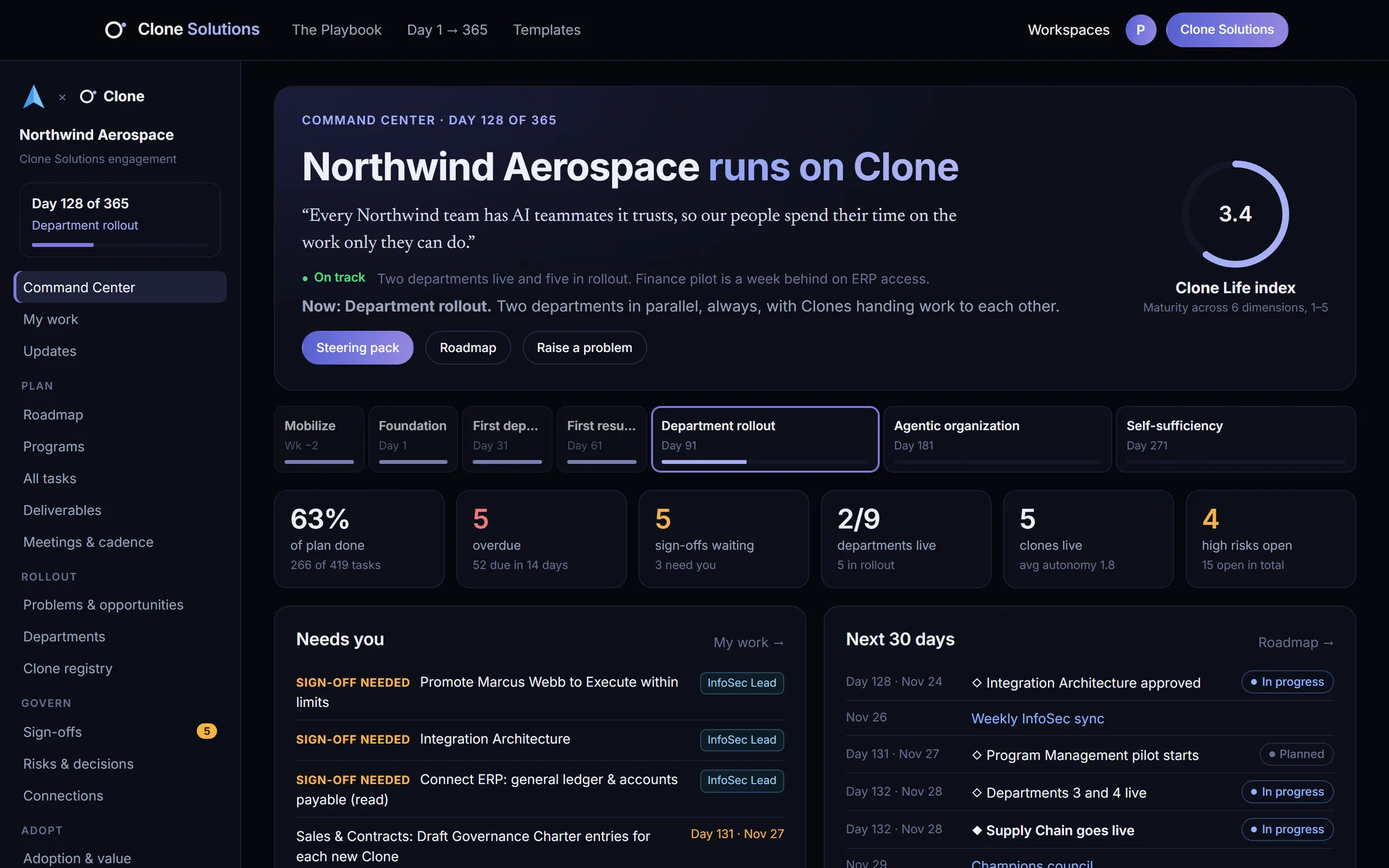
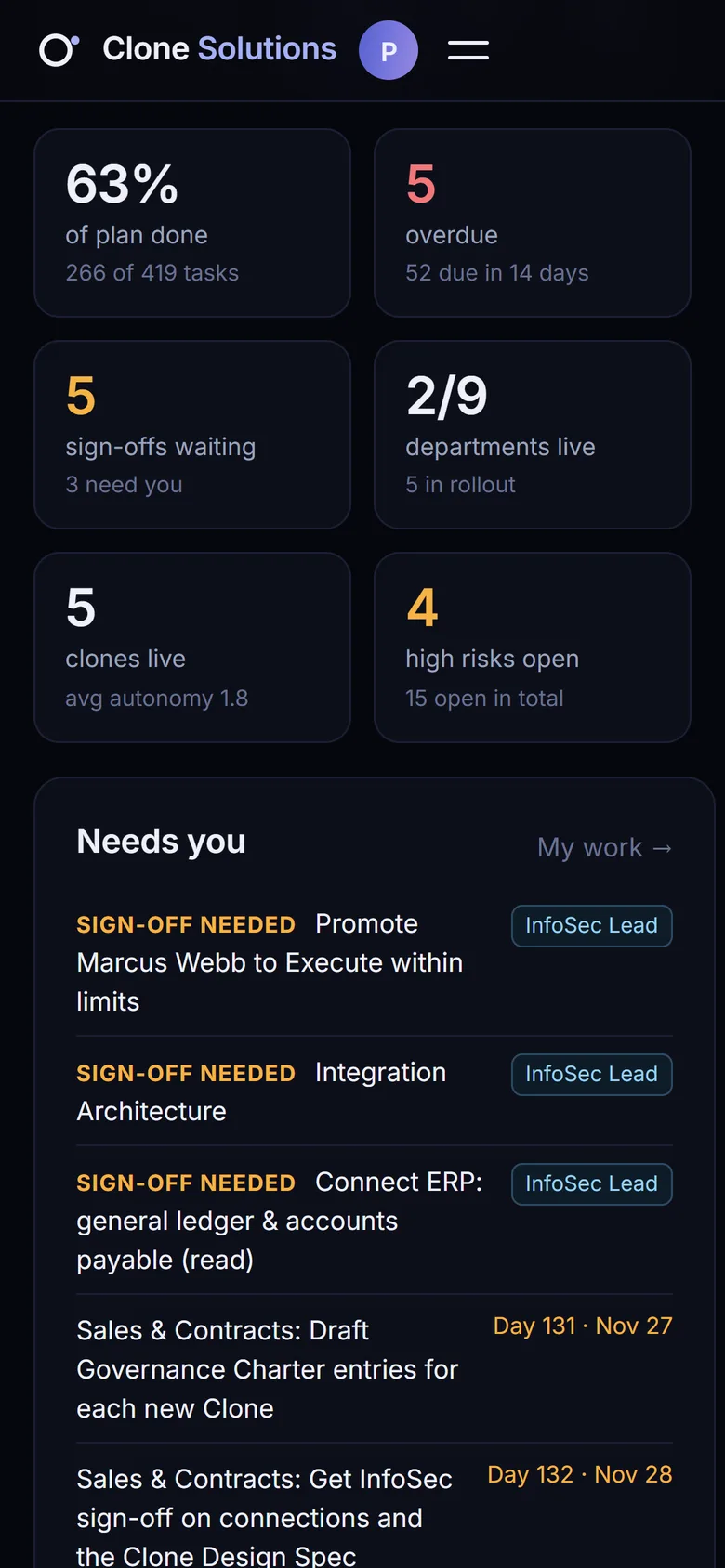
Command Center
The whole engagement on one screen: the day you are on, how much of the plan is done, what is overdue, and what needs you.
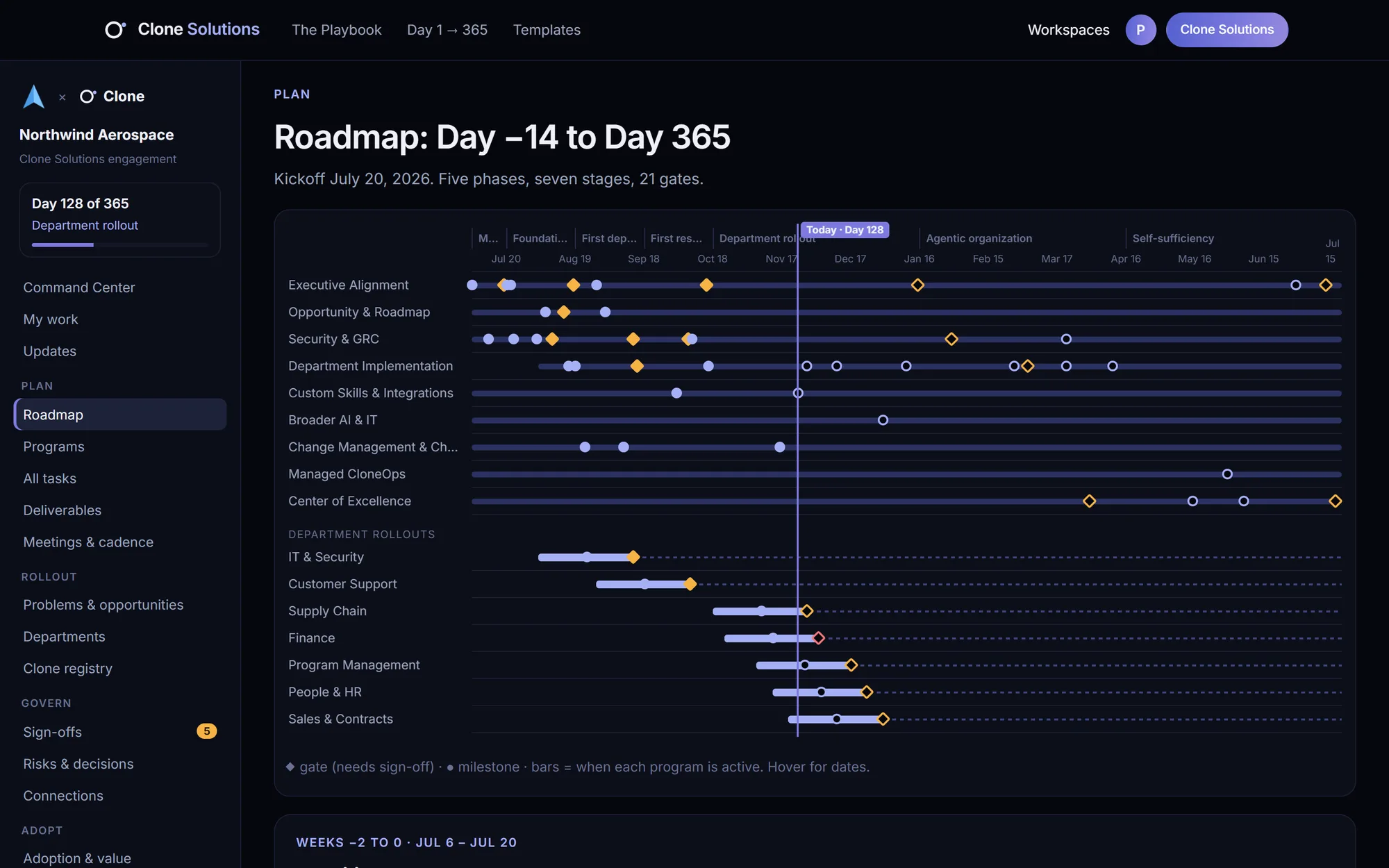
Roadmap, Day 1 to Day 365
Every stage and milestone of the rollout, with the gates between them.
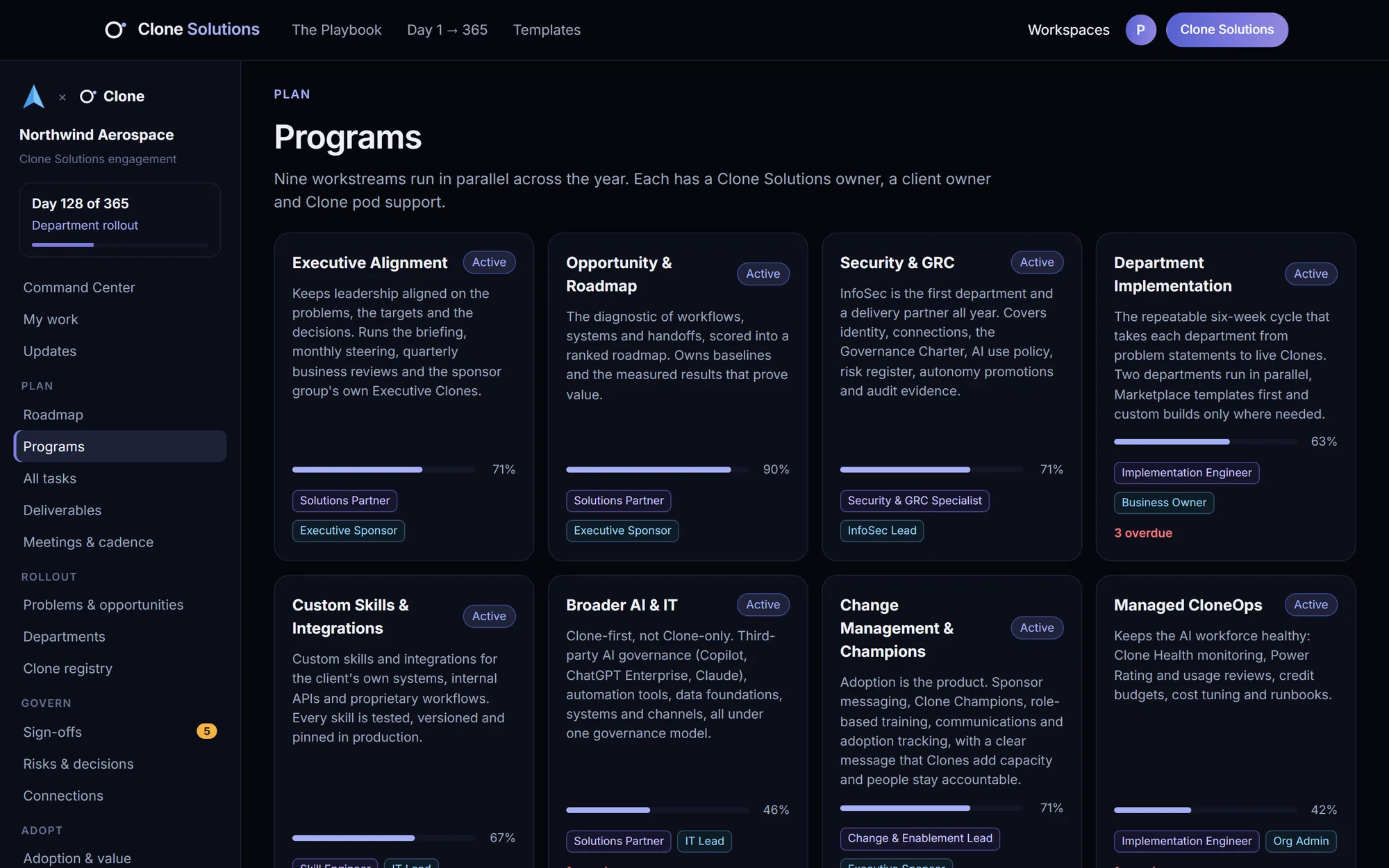
Programs and tasks
The programs running in parallel and every task inside them, each with a named owner.
Clone registry
Every clone in the rollout, with its charter, its level on the autonomy ladder and its promotions.
Dual sign-offs
Gates, charters, promotions and connections need two named roles to sign, such as your InfoSec lead and the business owner.
Risks and the steering pack
A scored risk register with a heat map, and a steering pack that builds itself from live data.
One roadmap everyone can see.
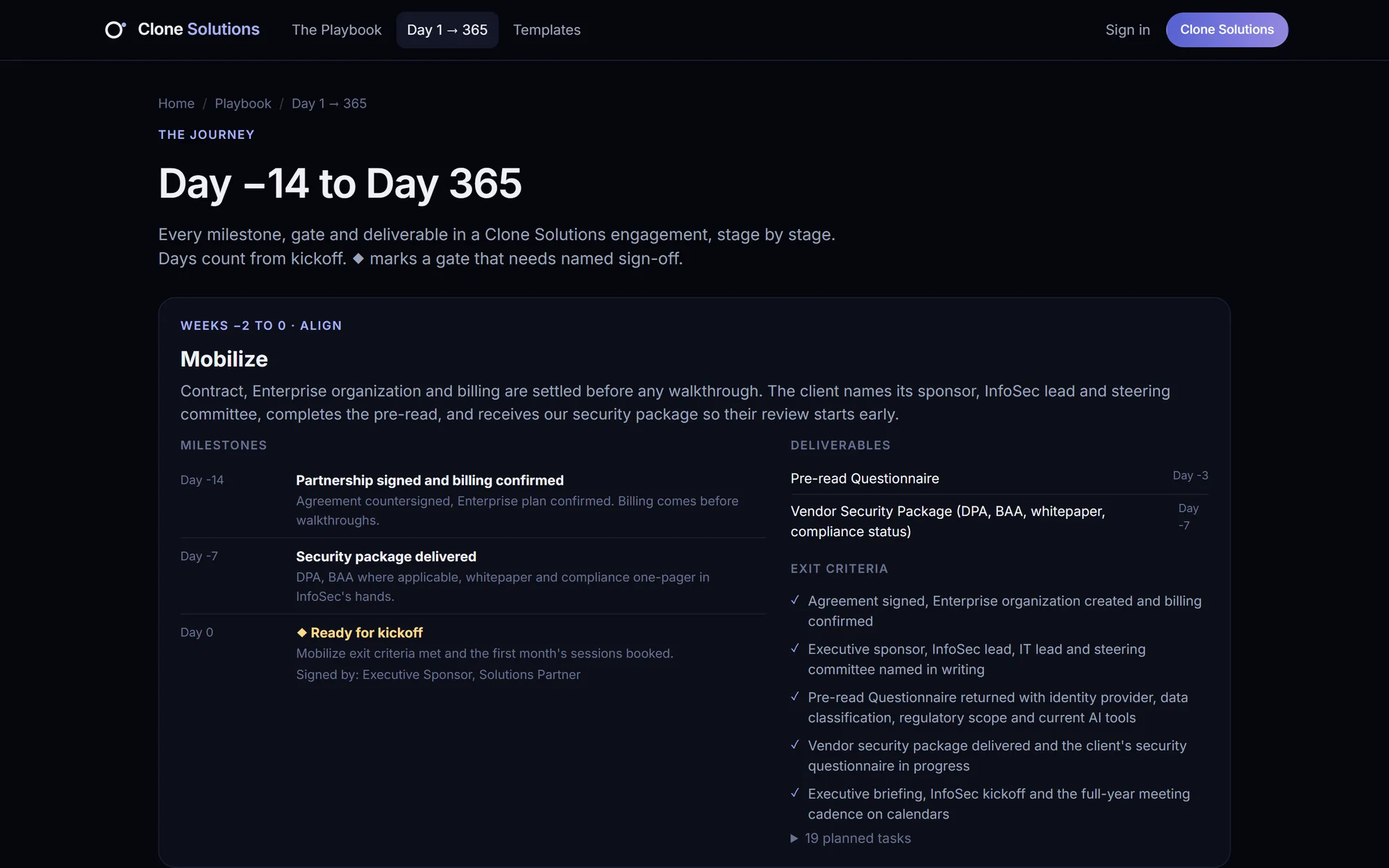
Day −14 to Day 365 on one chart: the programs running in parallel, each department's rollout, every milestone and every sign-off gate, with a marker for today.
- Seven stages, from Mobilize to Self-sufficiency
- Milestones and gates on one timeline
- Department rollouts side by side
Programs in parallel. Every task owned.
A rollout is several programs moving at once. Each one shows its progress, its owner on our side, its owner on yours and anything overdue. The plan is generated from the playbook when the engagement starts, and each new department adds its own tasks.
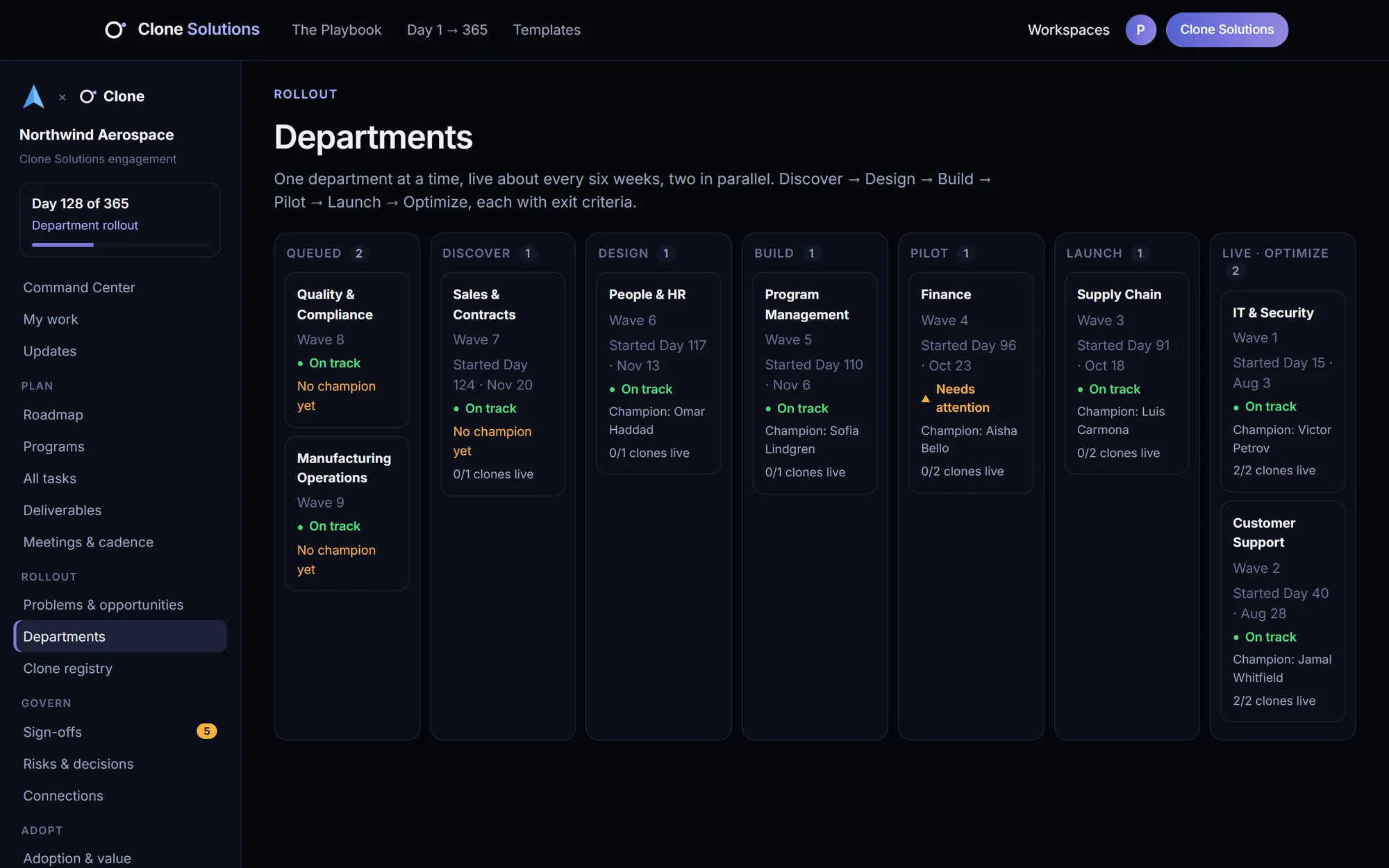
A board for every department.
Each department moves through the same cycle: Discover, Design, Build, Pilot, Launch, then Live. The board shows where each one is, its health, its champion and how many clones are live.
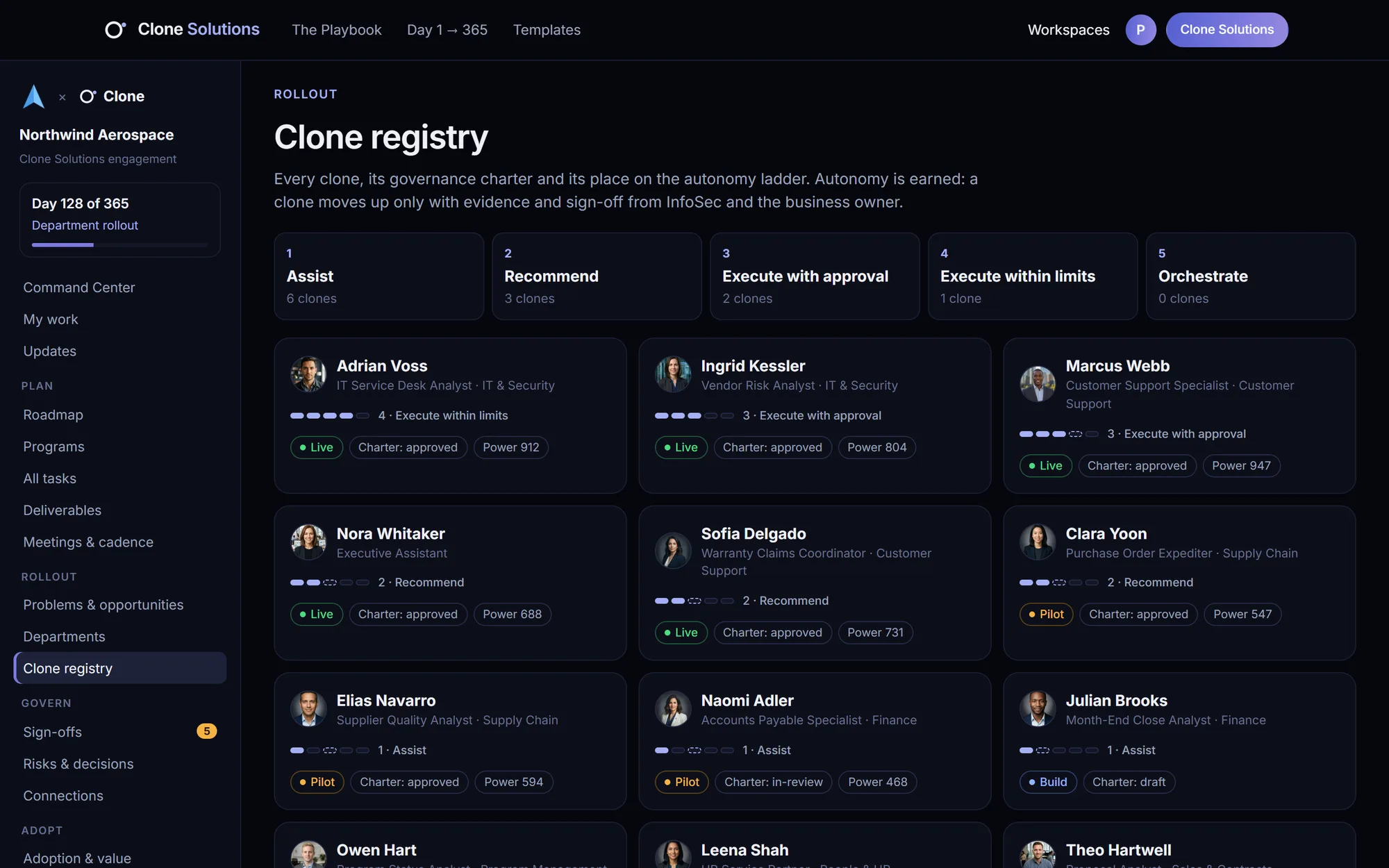
A registry of every clone, and what it has earned.
Every clone in the rollout is on one page with its role, department, charter status and its level on the autonomy ladder: Assist, Recommend, Execute with approval, Execute within limits, Orchestrate.
- A charter for every clone
- Five levels of autonomy
- One place to see every clone in the organization
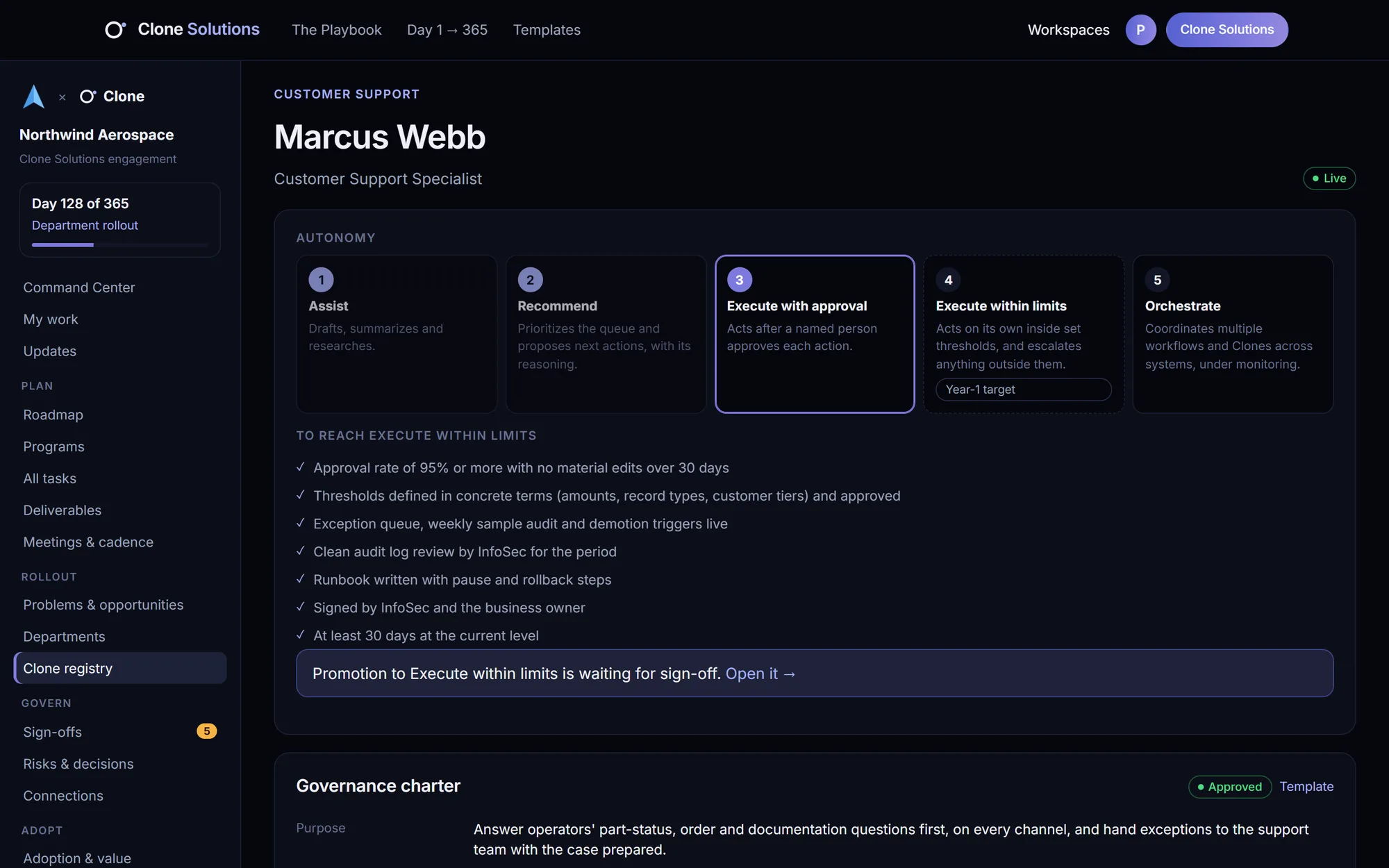
A promotion needs evidence and two signatures.
A clone's page shows where it is on the ladder, its target for the year and the criteria for the next level. A clone's level changes only when a promotion is signed off.
- Criteria for each level, with the evidence
- Signed by InfoSec and the business owner
- Every decision written to the log
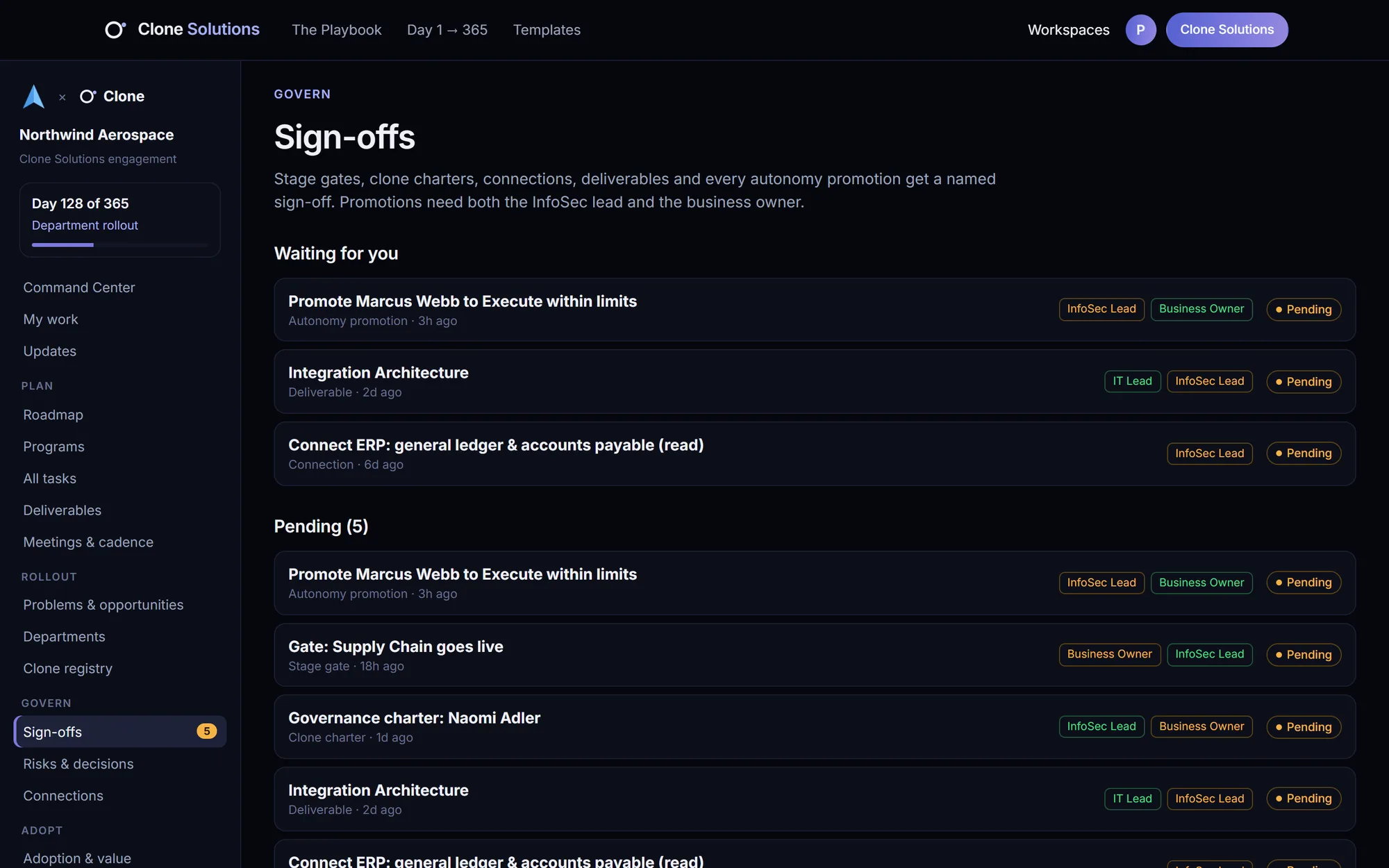
Sign-offs, on the record.
Stage gates, charters, promotions, connections and deliverables all go through sign-off. Each one names the roles that must sign and shows who has. One person cannot sign twice.
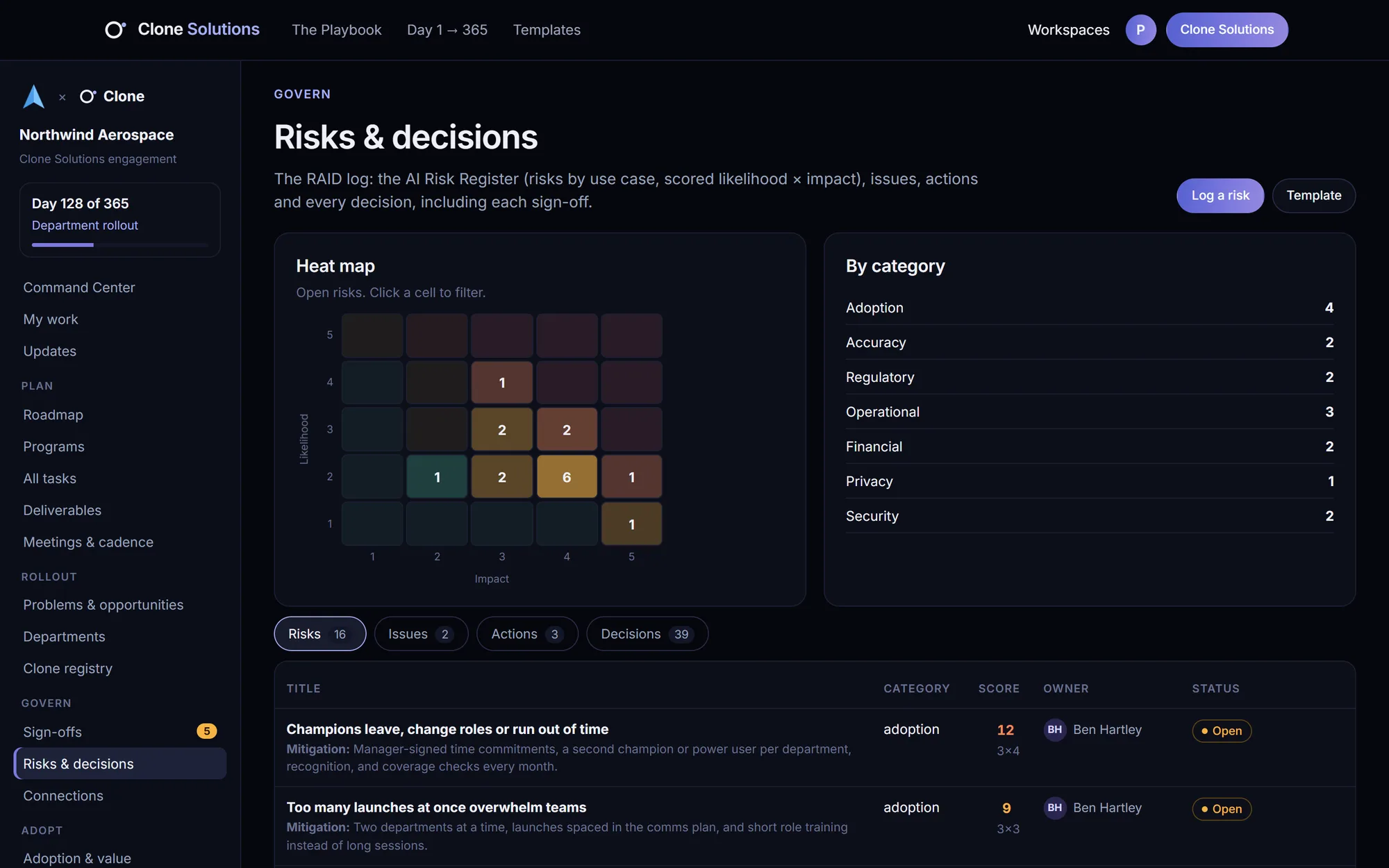
Risks, issues, actions and decisions.
A heat map of likelihood against impact, risks by category, and a scored register where every risk has an owner and a mitigation.
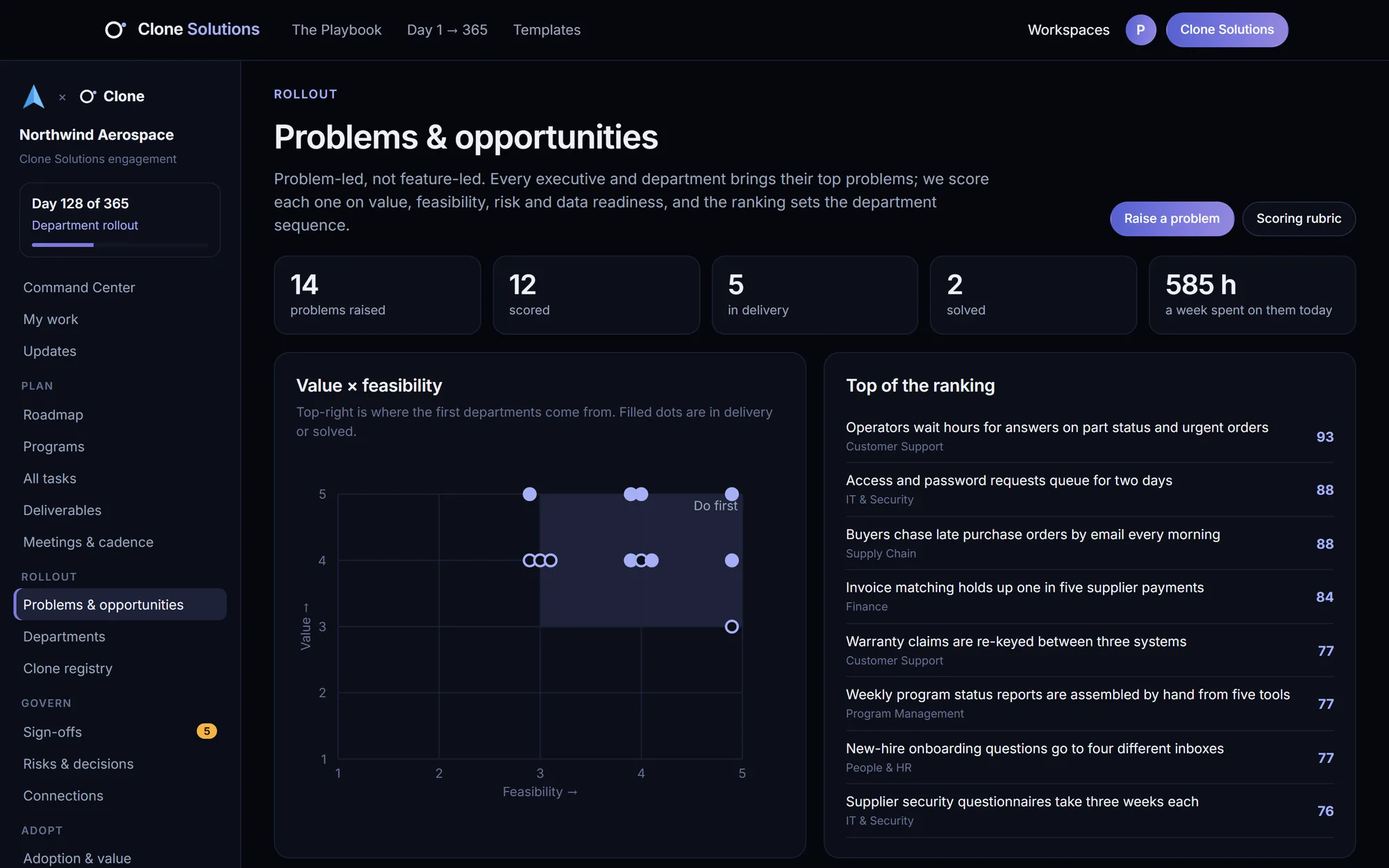
Problems, ranked by what they are worth.
We start with your priority problems, not a tour of features. Each problem is scored on value, feasibility, risk and data readiness, and the workspace ranks them and shows which to do first.
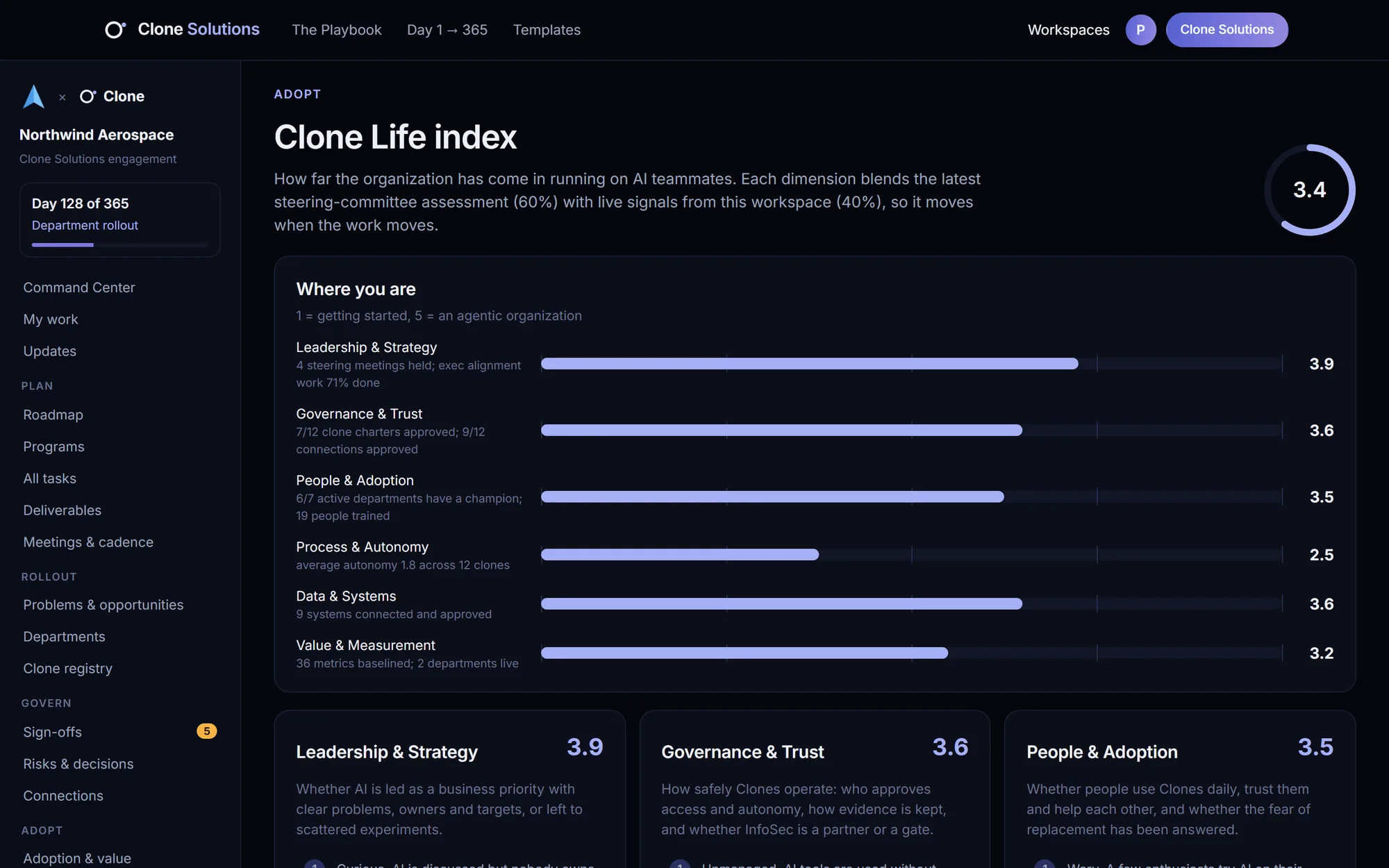
The Clone Life index.
One score for how far the organization has come, across six dimensions. It blends the assessed level with live signals from the workspace, such as how many clone charters are approved.
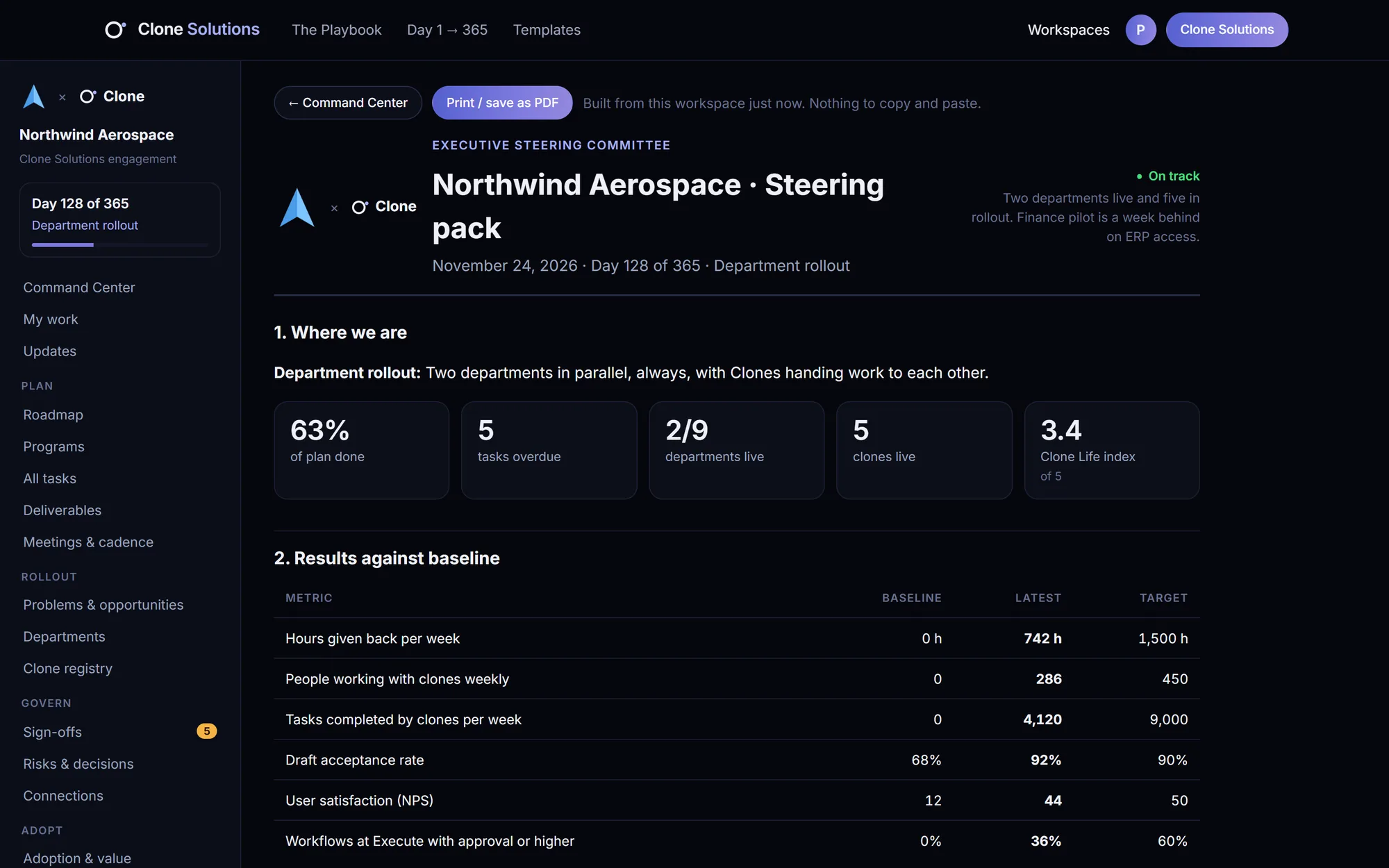
The pack builds itself.
Where we are, results against baseline, departments and clones, decisions needed, top risks and what is next, assembled from the live workspace and ready to print.
Open, so you can see exactly how we work.
Everything above runs on a public playbook. Read it before you ever talk to us.
The method, published.
Align. Secure. Prove. Scale. Sustain. The playbook covers the journey, the programs, the department cycle, the autonomy ladder, the roles and the cadence, with thirty templates you can download.
- Seven stages and nine programs
- Fourteen sign-off gates
- Thirty open templates
Ask your clone where the rollout stands.
Status on request
Ask your clone for the status of the engagement or of your own work, and get the answer in chat.
Raise a problem
Describe a problem to your clone. It is logged in the workspace and opens a support case.
Log a risk or post an update
Tell your clone, and the workspace is updated for everyone.
One clone team. An app for every job.
Every Clone app is built the same way: your clones do the work, your people see it and decide.
Questions, answered.
What is the Clone Solutions app?
Clone Solutions (solutions.clone.org) is where an enterprise rollout of clones is run, from before kickoff to Day 365. Each customer gets a private workspace with a Command Center, the roadmap, programs and tasks, a registry of every clone, sign-offs, risks and a steering pack. The playbook behind it is public.
Who uses it?
Your executive sponsor, your program lead, the champion in each department, your security and IT teams, and the Clone Solutions team working with you. Everyone sees the same plan and the same status.
How do clones get more independence?
By earning it. Every clone in the registry has a charter that says what it is for, what data and actions it is permitted, and what it must never do. It moves up the five-level autonomy ladder only after it has met the criteria for the next level, and the promotion has to be signed off by InfoSec and the business owner.
Can I read the playbook without being a customer?
Yes. The playbook is open at solutions.clone.org: the method, the Day 1 to Day 365 journey, the programs, the department cycle, the roles, the cadence and thirty templates you can download.
How does it connect to the rest of Clone?
A problem raised in a workspace opens a support case, so it is tracked like any other case. And you can ask your clone for the status of the rollout, your own work, or to log a risk or post an update, without opening the app.
How do we get a workspace?
Workspaces come with a Clone Solutions engagement. Book a demo and we will walk you through the playbook and what a rollout would look like for your organization.
See what a rollout looks like for you.
Book a demo and we will walk you through the playbook, the workspace and the first ninety days.