Every video your clones make. Every approval, in one place.
Your clones make the videos. Clone Videos is your organization's library and control centre: what is in progress, who has to approve what, and every finished file.
How you open it: tell your clone “Open Clone Videos”. It sends a private one-time sign-in link. No extra password.
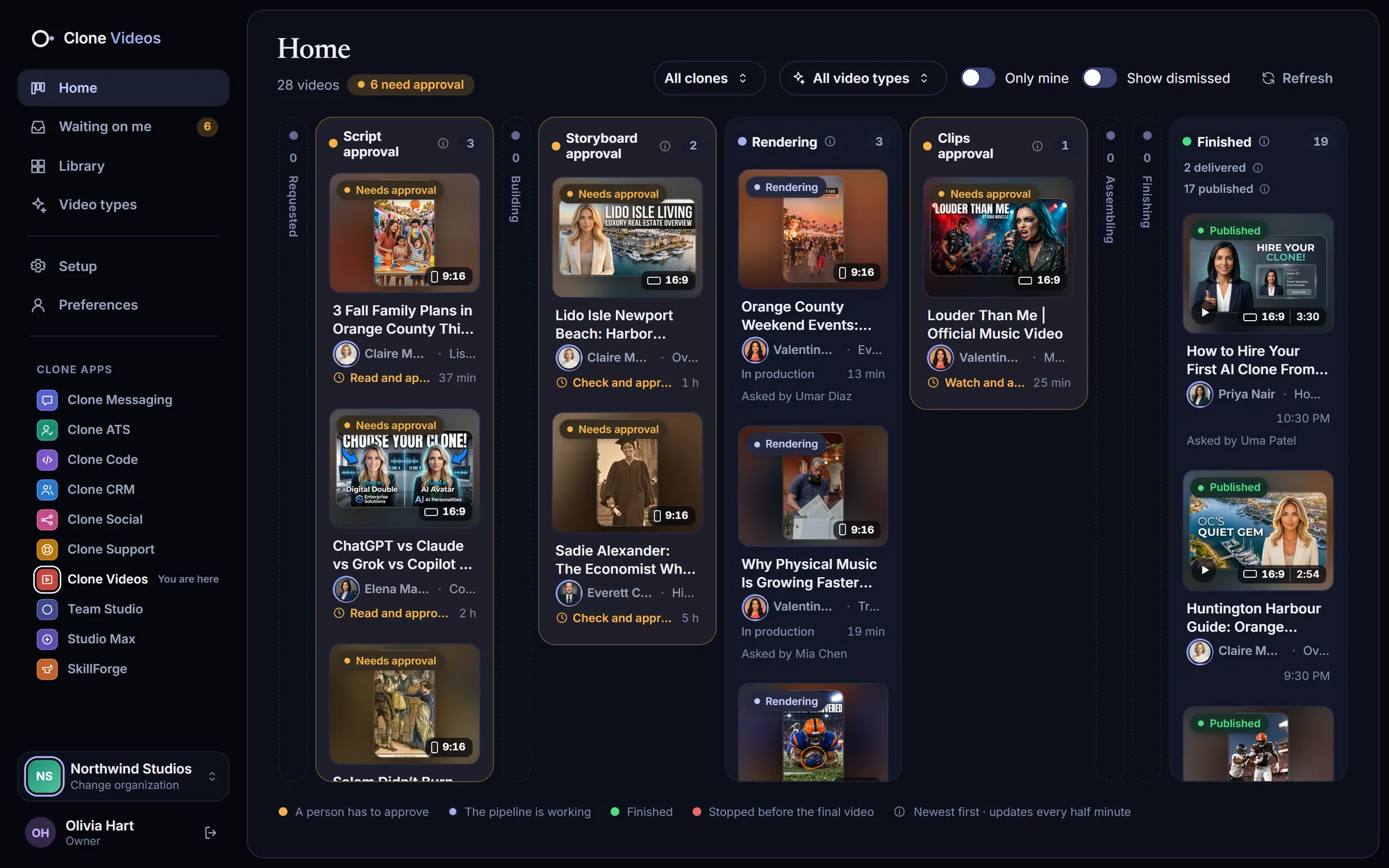
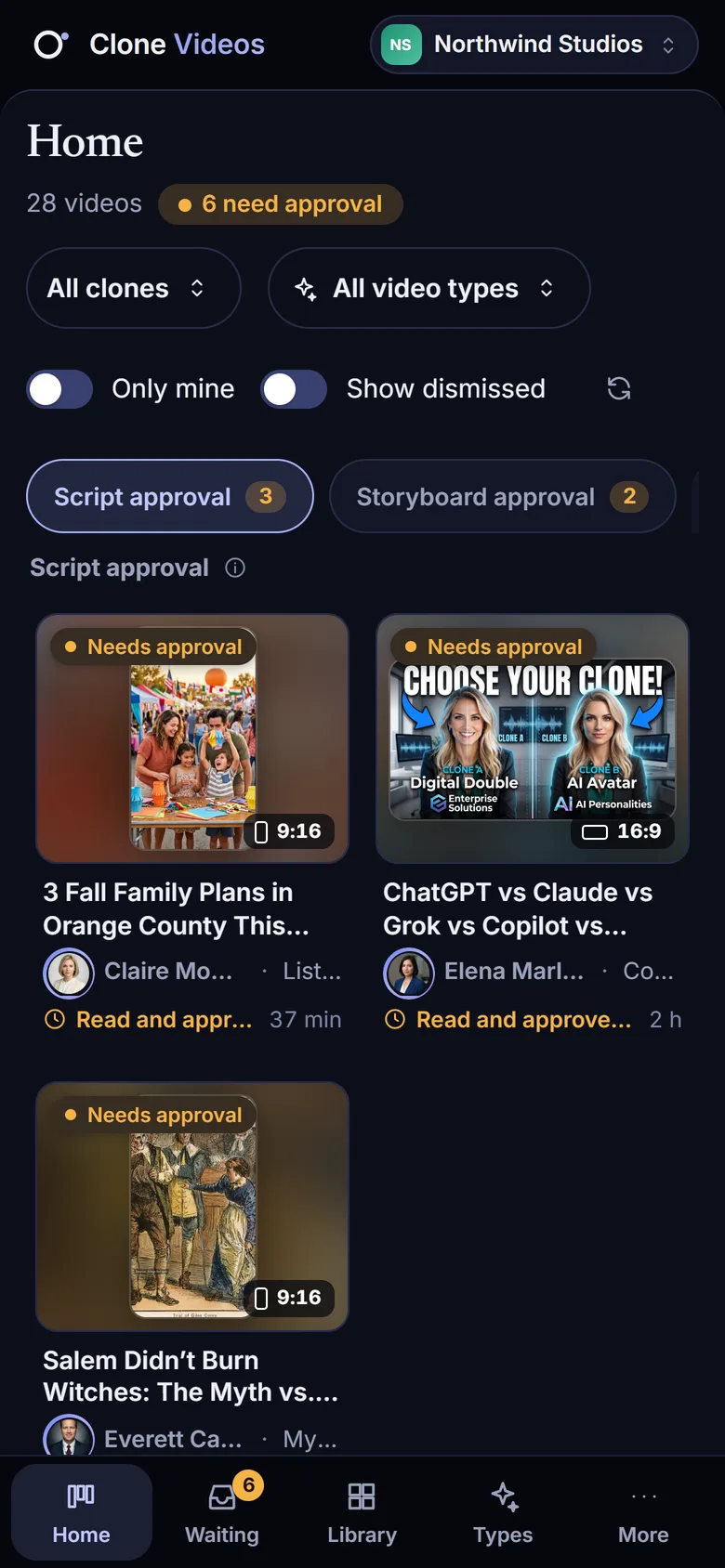
A board of every stage
Script approval, storyboard approval, rendering, assembling, finished: see where every video is at a glance.
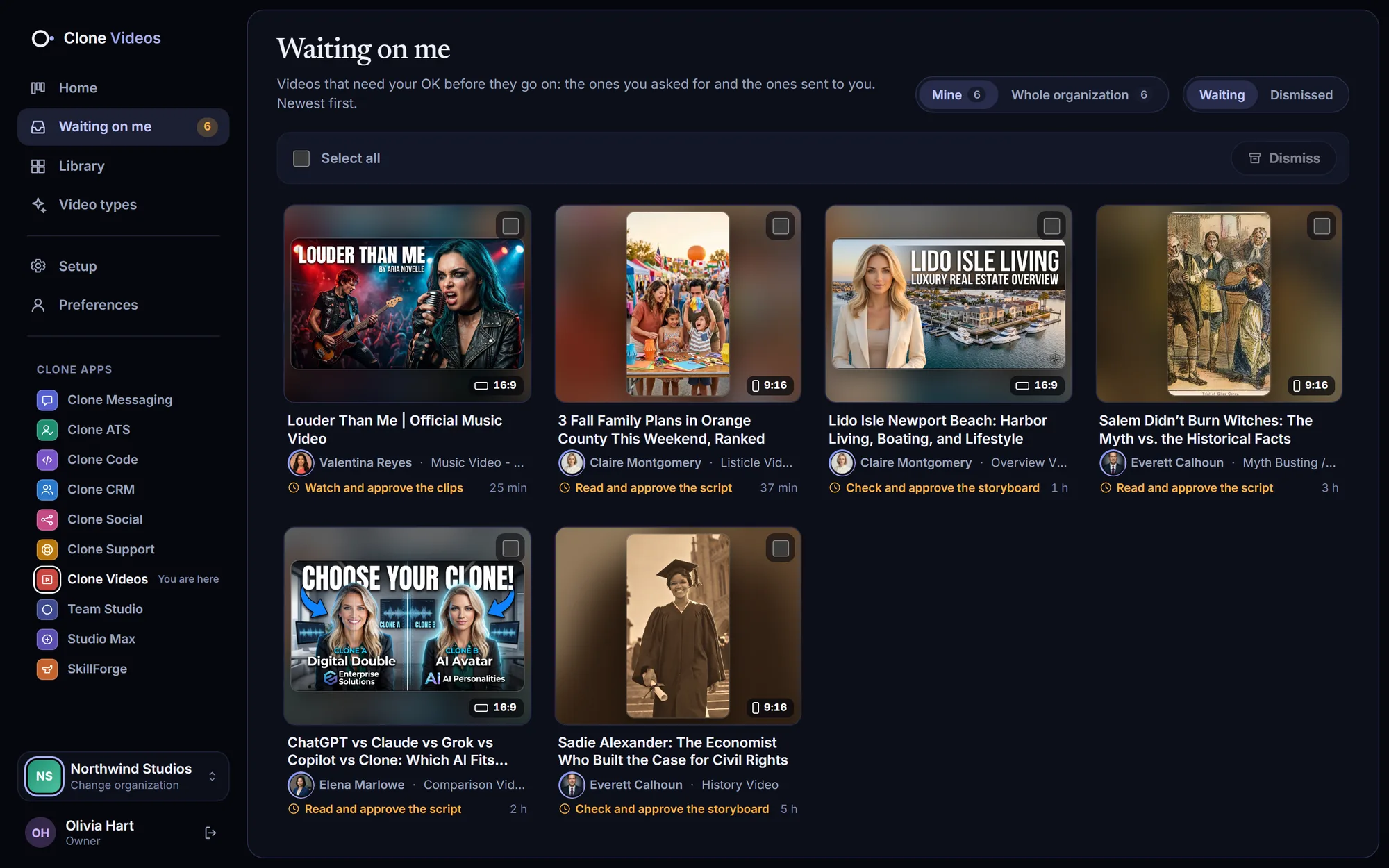
Waiting on me
One list of everything that needs your decision, newest first, so no video sits waiting on a person.
The library
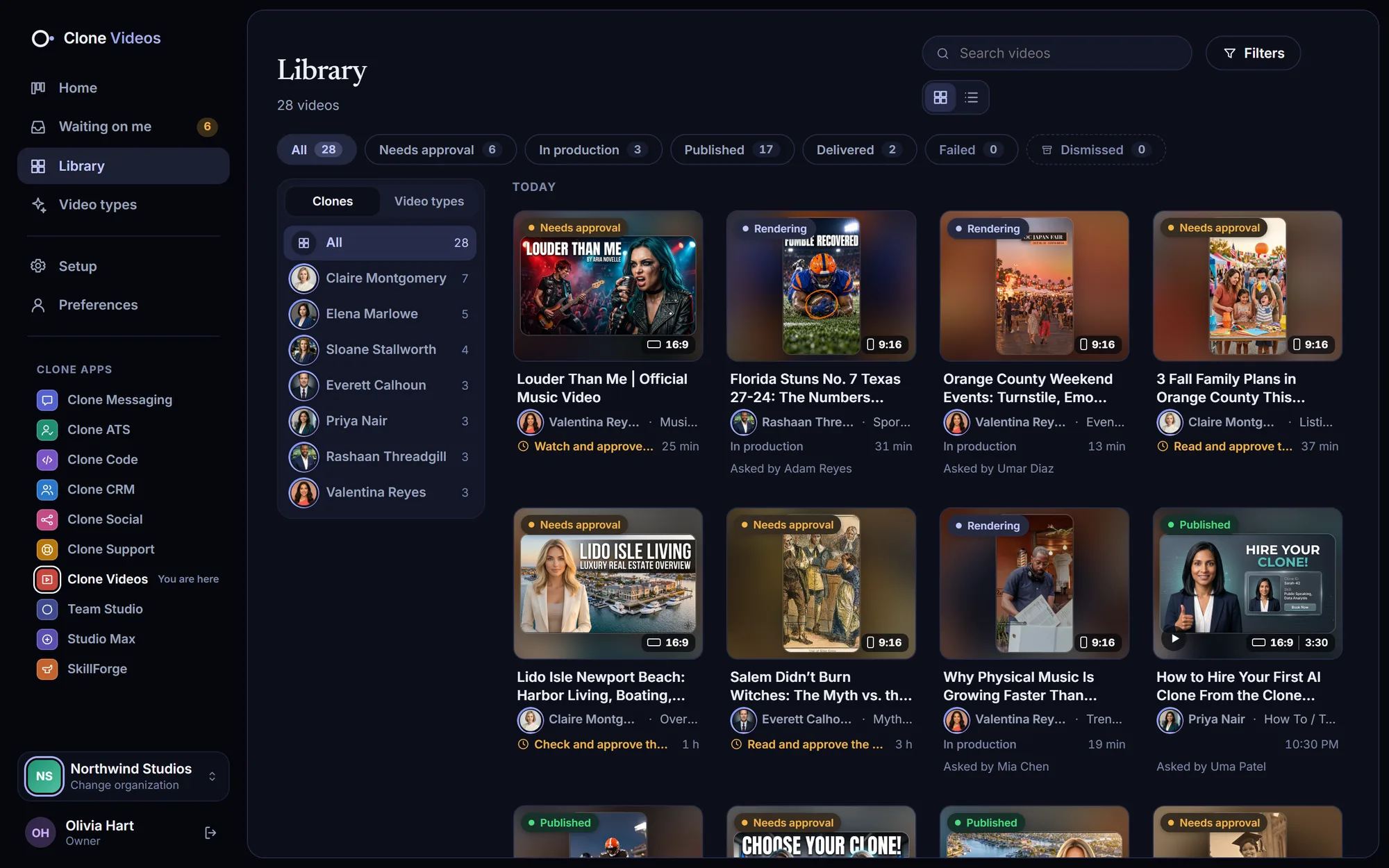
Every finished video, with filters by clone and by video type, in a grid or a list.
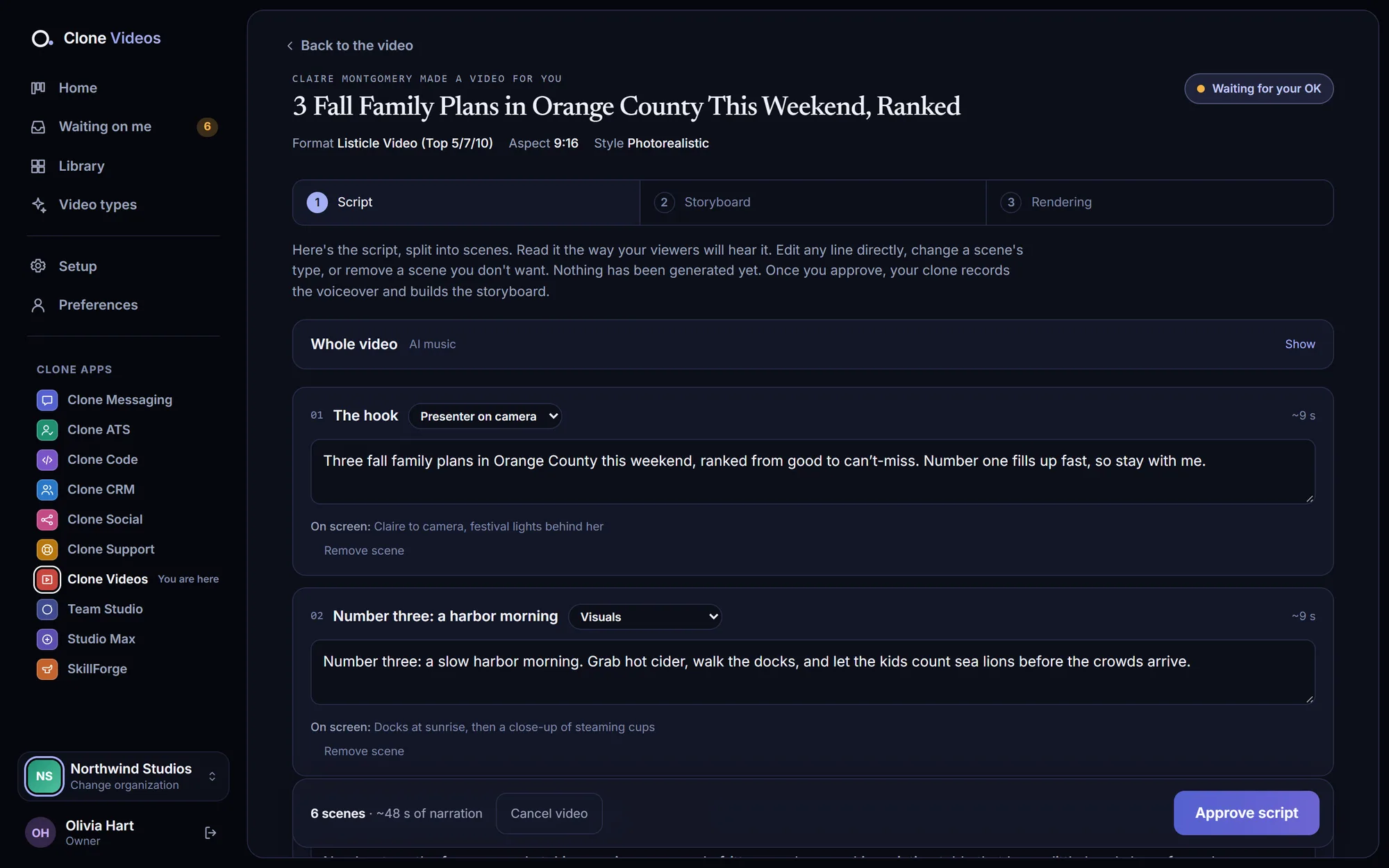
Approvals in the app
Read the script, look through the storyboard, watch the clips, then approve or ask for changes.
Video types
What your clones can make, each with a ready-to-copy request you can paste to your clone.
Publishing, when you want it
Off by default. Connect your own YouTube channel or a webhook to publish finished videos.
One list. Nothing stuck.
A person approves each step, so the fastest way to more video is knowing what is waiting. “Waiting on me” puts every approval in one place.
- Scripts, storyboards and clips to approve
- On your phone too
- Email from your organization's notifier clone when something needs you
Read it, watch it, say yes.
Approvals happen inside the app. Open the script or the storyboard, check it scene by scene, and approve or send it back with what to change.
Scenes, shots and the final cut.
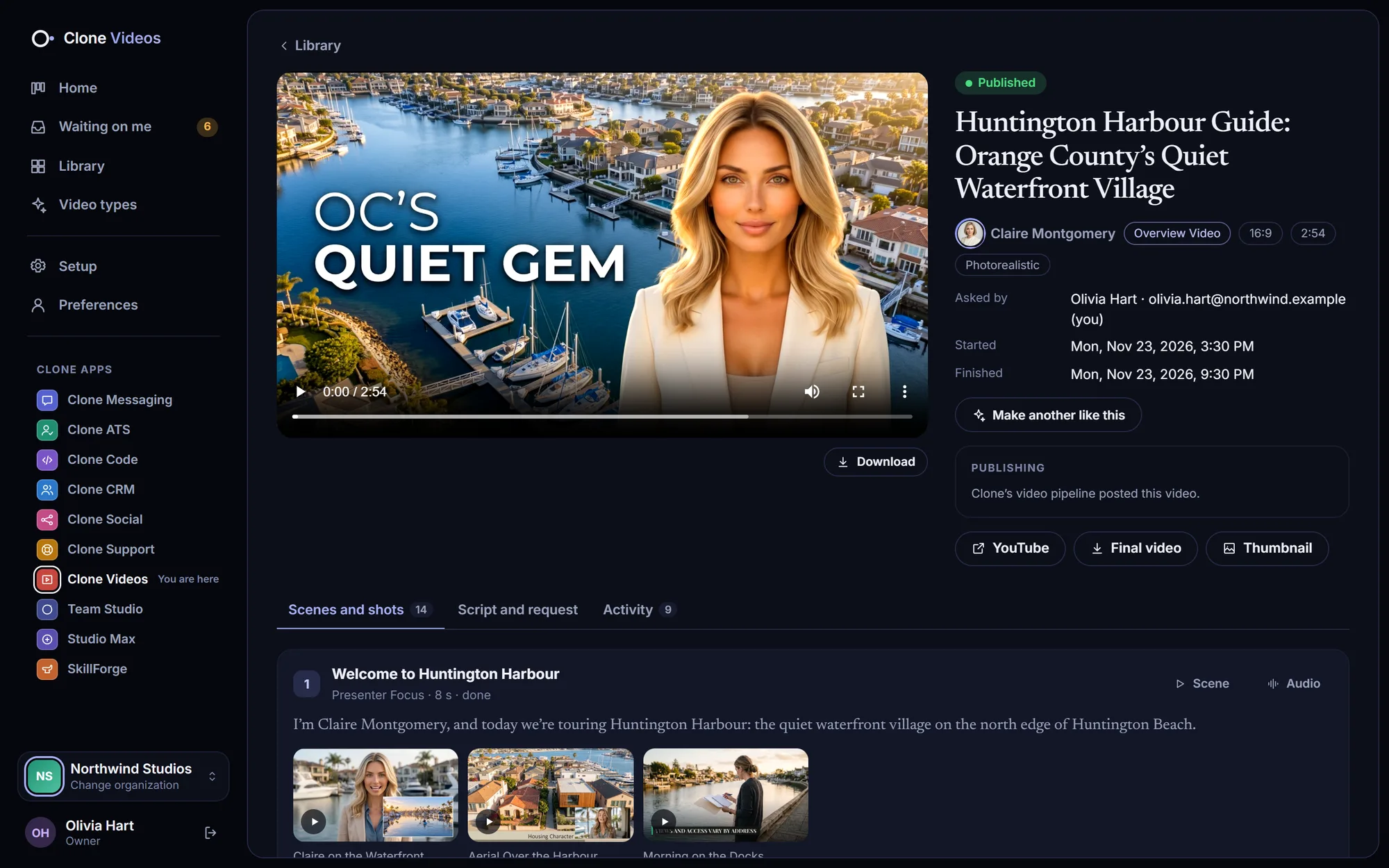
Each video has its own page: the final cut, the scenes and shots behind it, the clone that made it and where it was published.
Everything your clones have made.
Filter by clone or by video type, switch between grid and list, and open any video to watch or download it.
One clone team. An app for every job.
Every Clone app is built the same way: your clones do the work, your people see it and decide.
Questions, answered.
What is Clone Videos?
Clone Videos is the library and control centre for the videos your clones make with the Automated Video skill. It shows every video in your organization, where each one is in the pipeline, who has to approve what, and the finished files.
Who makes the videos?
Your clones do. You ask a clone for a video in chat; it writes the script, builds the storyboard, produces the clips and assembles the final cut. Clone Videos is where you watch that happen and approve each step.
What do I approve?
The script, the storyboard and, for some video types, the clips. Each approval happens inside Clone Videos, and nothing moves to the next stage until a person has approved it. “Waiting on me” lists everything that needs you.
Can it publish for me?
Yes, if you turn it on. Publishing is off by default. An owner can connect the organization's own YouTube channel or send finished videos to a webhook.
How do we get it?
Clone Videos is new. Book a demo and we will set it up for your organization alongside the Automated Video skill.
Your clones make the video. You keep the final say.
Book a demo and we will set Clone Videos up for your organization.